Support our educational content for free when you purchase through links on our site. Learn more
iRobot Romba Review: Which Robot Fits Your Home? 🤖

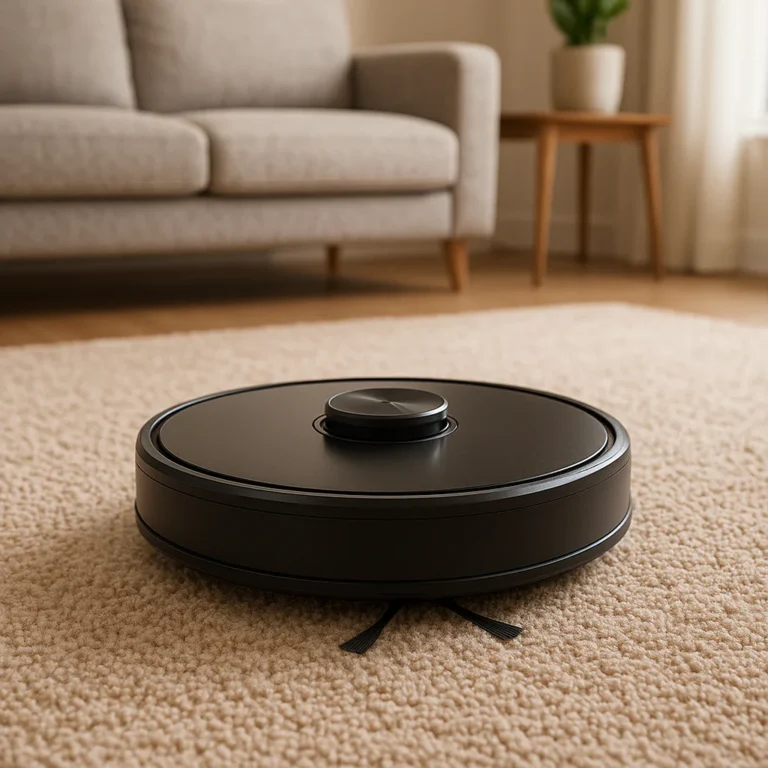
The iRobot Romba is a strong pick for automating everyday floor cleaning—but the best model depends on whether you need vacuuming, mopping, smarter navigation, or a self-emptying dock. Check the exact model and bundle before buying: Romba features vary, and “hands-free” still comes with a side of brush cleaning.
At Quietest™, we judge a robot vacuum by more than how well it picks up crumbs. One detail that can surprise new owners? The dock’s self-emptying cycle may be more noticeable than the robot’s regular cleaning, so where you put it—and when you schedule it—can matter almost as much as which Romba you choose.
Key Takeaways
- Choose by features, not just the Romba name. Mapping, obstacle avoidance, mopping and dock functions vary between models.
- Vacuum-only models keep things simple; Romba Combo models add light mopping. Neither replaces every deep-cleaning task.
- Self-emptying can reduce bin chores, but it doesn’t eliminate maintenance. Brushes, filters, sensors and mop parts still need care.
- For a quieter routine, schedule cleaning when you’re away and position the dock away from bedrooms and shared walls.
- Check current availability, warranty details and replacement parts—especially for retired or second-hand models.
👉 Shop iRobot Romba: Amazon | Walmart | iRobot Official Website
Table of Contents
- ⚡️ Quick Tips and Facts
- 🤖 iRobot Romba Review: What These Robot Vacums Do Best
- 🏛️ iRobot and Romba: A Brief History of Robot Cleaning
- 🧹 Romba Robot Vacuum Lineup: Models and Key Differences
- Romba Combo Vacuum-and-Mop Robots
- Romba Vacuum-Only Robots
- How Romba Model Names and Features Work
- 🔍 How We Evaluate iRobot Romba Vacums
- 🧠 Navigation, Mapping, and Obstacle Avoidance
- 💨 Suction, Brushes, and Cleaning Performance
- Hard Floors, Carpets, and Rugs
- Pet Hair, Dust, and Allergens
- Corners, Edges, and Under-Furniture Cleaning
- 🧽 Romba Combo Mopping: What to Expect
- 🗑️ Self-Emptying Docks and Hands-Free Cleaning
- 📱 Romba App, Smart Home, and Voice Control
- 🔋 Battery Life, Charging, and Cleaning Coverage
- 🛠️ Setup, Maintenance, and Troubleshooting
- How to Set Up a New Romba
- Cleaning Brushes, Filters, Sensors, and Wheels
- Common Romba Problems and Fixes
- Replacement Parts and Battery Care
- ✅ iRobot Romba Pros and Cons
- ⚖️ Romba vs. Other Robot Vacuum Brands
- Romba vs. Roborock
- Romba vs. Shark
- Romba vs. Eufy
- 🛒 How to Choose the Best Romba for Your Home
- Best Romba for Pet Hair
- Best Romba for Carpets and Hard Floors
- Best Romba for Mopping
- Best Romba for Small Homes and Apartments
- Best Romba for Busy Households
- 💰 Romba Buying Advice: Deals, Warranties, and Trade-Ins
- ❓ Frequently Asked Questions About iRobot Romba
- 🏁 Conclusion
- 🔗 Recommended Links
- 📚 Reference Links
⚡️ Quick Tips and Facts
The first line of advice from our Quietest™ reviewers: if cleaning noise is your deciding factor, start with our guide to the quietest robot vacums—because a clever map can’t make a loud motor whisper. 🤫
| Quick fact | What it means for you |
|---|---|
| Romba is iRobot’s robot-vacuum family | The lineup includes vacuum-only robots and Romba Combo models that vacuum and mop. Check the official Romba lineup because features vary by model and bundle. |
| “Combo” doesn’t mean every mop task is hands-free | A robot may carry a mop pad, while a dock on a higher-tier bundle may handle extra tasks such as washing or drying. Confirm the exact model and dock. |
| Self-emptying reduces bin chores, not all maintenance | Brushes, filters, wheels, sensors and mop parts still need routine attention. |
| Noise depends on the task | Suction setting, floor type, debris, brush condition, dock cycles and room acoustics all affect what you hear. |
| Schedules can help protect quiet hours | Use the iRobot Home app to set cleaning times where your model supports scheduling. |
| Older model names can be confusing | iRobot lists some products as retired; the Romba 980, for example, is no longer available. |
Quiet-home takeaway: schedule the robot when you’re out, keep its brushes clean, and remember that the self-emptying dock may be more noticeable than the robot’s normal cleaning pass. For more low-noise home ideas, browse Quietest™’s low-noise household items and noise-reduction tips.
🤖 iRobot Romba Review: What These Robot Vacums Do Best
Before we compare models, one small naming fix: it’s Romba, not “Romba.” The extra “o” is easy to lose in a search query, but it matters when you’re hunting for manuals, parts or the right model.
Quietest™’s practical rating framework
A single score for the entire Romba family would be like rating every car by the horn. These are review criteria, not laboratory measurements or a claim that every model performs identically.
| Aspect | Rating | Our assessment |
|---|---|---|
| Everyday convenience | 8/10 | Scheduled cleaning and app controls can make routine floor care feel less like a recurring appointment. |
| Vacuuming design | 8/10 | Romba models use purpose-built brushes and edge-cleaning features, but the exact configuration varies. |
| Navigation and mapping | 7/10 | Capabilities range from simpler navigation to map-based cleaning and obstacle-recognition features. Verify the individual model. |
| Hard-floor cleaning | 8/10 | Strong fit for everyday dust and crumbs, subject to floor type, debris and robot settings. |
| Carpet cleaning | 7/10 | Useful for regular upkeep; a robot vacuum is not a substitute for every deep-cleaning task. |
| Mopping versatility | 6/10 | Combo models add convenience, but light robot mopping should not be mistaken for scrubbing dried-on grime. |
| Noise-conscious use | 6/10 | Scheduling helps, but motors and dock operations remain audible. No single rating applies to every model or home. |
| Maintenance burden | 7/10 | Self-emptying can reduce bin handling; brush, filter, sensor and mop care remain part of ownership. |
| Model choice | 7/10 | A wide range can suit different homes, but overlapping names and bundles make comparisons homework. |
| Overall family versatility | 8/10 | There’s a Romba format for many households, provided you choose by actual features rather than the name alone. |
What we like—and what deserves a raised eyebrow
The good stuff:
- ✅ Routine cleaning is easy to automate. Set a schedule and let the robot handle recurring dust and crumbs.
- ✅ There are vacuum-only and vacuum-and-mop options. You can avoid paying attention to mopping features if you don’t need them.
- ✅ Some models and bundles offer a self-emptying dock. That can cut down how often you empty the robot’s bin by hand.
- ✅ Advanced models may offer smarter mapping or obstacle detection. Those features can be useful in homes with multiple rooms, pets or clutter.
The trade-offs:
- ❌ Features change by model. “Romba” by itself doesn’t tell you whether a robot maps rooms, avoids small objects, mops or empties itself.
- ❌ The dock can add noise and bulk. Check where it will live, especially in an apartment or near a bedroom.
- ❌ A robot can’t tidy for you. Cables, socks and stray toys still have a talent for becoming tiny roadblocks.
- ❌ Robot mopping is not deep scrubbing. Treat it as maintenance cleaning, not a rescue mission for dried pasta sauce.
In the first YouTube video featured in this article, the reviewer compares several Romba models and argues that practical features matter more than a dazzling spec sheet. The video highlights options such as the Combo 10 Max, J7+, J9+, 105 Vac Robot and i4+ Evo. That’s a useful perspective, but model features and availability can change—so use the video as a starting point and verify details on iRobot’s current product pages.
🏛️ iRobot and Romba: A Brief History of Robot Cleaning
iRobot introduced the Romba as a consumer robot vacuum in 2002, helping make autonomous floor cleaning a household product rather than a laboratory curiosity. The company’s history page and Romba product information are the best places to check current company and product details.
Over time, the family has expanded from vacuum-focused robots to connected models, mapping features, self-emptying docks and Combo vacuum-and-mop systems. The evolution sounds straightforward until you meet a wall of model numbers and bundled docks. That’s why the exact model name and included base matter more than a broad “Romba” label.
What changed over the generations?
| Product-era trend | What it added | What to check before buying |
|---|---|---|
| Basic robot cleaning | Automated movement and routine vacuuming | Navigation style, brush design and how it handles your floor plan |
| Connected models | App control and scheduled cleaning | Wi-Fi requirements, app support and available functions |
| Mapping-focused models | Room maps and more targeted cleaning on supported products | Whether the model supports room selection and map editing |
| Self-emptying bundles | Robot deposits collected debris into a larger dock | Dock footprint, bag or bin maintenance and emptying-cycle noise |
| Combo robots | Vacuuming plus a mop function | Mop-lifting or pad-care features, water handling and floor compatibility |
A useful reminder from iRobot’s support documentation: products can be retired as newer models arrive. Its Romba 980 support article confirms that model is retired, while pointing existing owners to manuals, parts and support. Retired doesn’t automatically mean unusable—but it does mean you should check parts availability and app compatibility before buying one second-hand.
🧹 Romba Robot Vacuum Lineup: Models and Key Differences
iRobot’s lineup includes vacuum-only robots, Combo robots and bundles with different dock types. The official Romba product page is the source to check for the latest model availability. Product names and regional bundles can change, so use the table below as a feature-oriented guide rather than a promise that every model is currently sold everywhere.
| Model or family | Format | Notable distinction to verify | Best suited to |
|---|---|---|---|
| Romba 105 Vac Robot | Vacuum-only | A simpler, compact format; verify navigation and app features for the exact version | Everyday vacuuming without a mop |
| Romba 105 Combo | Vacuum and mop | Combo functionality; some bundles include an AutoEmpty dock | Homes wanting vacuuming plus light mopping |
| Romba 205 DustCompactor Combo | Vacuum and mop | DustCompactor system is central to the product name | Buyers interested in less frequent debris handling |
| Romba Plus Combo models | Vacuum and mop | Bundles may include an AutoWash dock; check the exact number and dock | Users who want more mop-care automation |
| Romba Max Combo models | Vacuum and mop | Higher-tier models may include more comprehensive dock functions | Buyers prioritizing automation and feature depth |
| Romba J7+ / J9+ | Vacuum-focused families or bundles | Video and product descriptions may highlight obstacle recognition and self-emptying variants | Homes where object avoidance or targeted cleaning matters |
| Romba i4+ Evo | Vacuum-focused bundle | Video reviewers emphasize mapping, room targeting and self-emptying | Buyers seeking a practical all-round vacuum, subject to current availability |
Romba Combo vacuum-and-mop robots
Combo models are designed to vacuum and mop, but the dock and robot do not necessarily handle every care task automatically. A bundle that includes an AutoWash dock is different from a robot that simply carries a damp pad. Check the product’s official specifications for:
- Whether it vacums and mops in one run or requires separate modes
- How the mop pad attaches and whether the robot lifts or retracts it
- Whether the dock washes, dries or refills anything
- Whether the robot can avoid carpets while mopping
- Which cleaning solutions and floor types iRobot permits
For light daily maintenance, a combo may be handy. For sticky spills, muddy paw prints or dried-on food, you’ll still want a proper mop. Cleaning gear should make life easier, not claim custody of your entire weekend.
Romba vacuum-only robots
A vacuum-only model is the cleaner choice if you don’t want to manage water tanks or mop pads. It may also be the better fit for homes with mostly carpet or for people who already own a mop they like.
Look for these details:
- Navigation: Does it map rooms, clean in organized rows or use a simpler movement pattern?
- Dock: Is it a charging base or a self-emptying system?
- Brushes: Are the brushes designed to manage hair and debris on your floors?
- App functions: Can you schedule, target rooms or create keep-out areas?
- Replacement parts: Are compatible filters and brushes readily available?
How Romba model names and features work
A name such as “J7+” or “105 Combo” signals a product family or configuration, but the suffix and bundle can change what you actually get. “Plus” often appears on models paired with a particular dock or feature set; do not assume every product in a family includes the same base.
Before checkout, compare the full product title and included accessories—not just the first two words. For retired products such as the Romba 980, check official support and replacement-part information before purchasing from a reseller.
🔍 How We Evaluate iRobot Romba Vacums
At Quietest™, we look at the robot as both a cleaner and a sound source. A vacuum that performs brilliantly but starts its loudest dock cycle beside your sleeping child is not a quiet-home success story.
Our evaluation framework considers:
- Cleaning purpose: vacuum-only, Combo, or both.
- Floor compatibility: hard floors, carpets, rugs and transitions.
- Navigation: whether the robot can clean predictably and respect room boundaries.
- Obstacle handling: how it behaves around cords, pet toys and ordinary household clutter.
- Noise events: routine cleaning, dock emptying and any mop-care cycles.
- Maintenance: how easily you can clean brushes, sensors, bins and pads.
- App usability: scheduling, room controls, maps and notifications.
- Long-term ownership: replacement parts, support, warranty terms and model retirement.
Important limitation: sound varies with room size, wall materials, flooring, distance, suction mode and the condition of the robot. We don’t assign a universal decibel value to the Romba family without a controlled measurement for the specific model and test setup. For background on sound measurement, see the National Institute of Standards and Technology’s acoustics resources.
🧠 Navigation, Mapping, and Obstacle Avoidance
Romba navigation varies by model. Some robots use more basic navigation, while selected products offer mapping and more targeted room cleaning. Certain iRobot models have also been promoted with object-recognition or obstacle-avoidance features. Don’t assume a feature one J-series model carries over to every Romba.
Mapping: useful, but not magic
A map can let you choose specific rooms or set boundaries, depending on the model and app. That is useful if you want the kitchen cleaned after dinner but would rather the robot leave the nursery alone.
However, maps can need setup and occasional correction. Reflective surfaces, moved furniture, dark flooring or a changed dock position may affect how a robot reads its surroundings. Consult iRobot’s app and product support for instructions specific to your model.
Obstacle avoidance: helpful, not a license to leave socks everywhere
A robot with object-recognition features may better at identifying certain obstacles, but it’s wise to keep small items off the floor. Charging cables and dangling fabric can still tangle around brushes, and object-recognition capabilities are model-dependent.
Quiet-home tip: prevention is quieter than recovery. Clearing cables before a scheduled run helps avoid repeated stops, error alerts and the small mechanical drama of a robot trying to eat a shoelace.
💨 Suction, Brushes, and Cleaning Performance
A robot vacuum’s cleaning result depends on more than a headline suction claim. Brush design, airflow, the debris itself, floor surface and maintenance all matter. The iRobot product page lists current model-specific details; compare the exact specifications at iRobot Romba.
Hard floors, carpets, and rugs
| Surface | Romba’s role | What to watch |
|---|---|---|
| Sealed hard floors | Regular dust, crumbs and everyday debris | Large debris can scatter; check brush and side-brush performance |
| Low-pile carpet | Routine maintenance cleaning | Hair and fine dust may need repeated passes or stronger suction |
| Thick carpet | Surface upkeep, depending on model | Robot clearance, traction and carpet-specific performance vary |
| Rugs with fringe | Possible snag risk | Tuck fringe underneath or create a keep-out area where supported |
| Thresholds | Depends on height and design | Measure transitions and check manufacturer guidance |
On hard floors, a side brush can help pull debris from edges, but it may also flick lightweight crumbs. On carpet, brush contact and suction settings become more important. If you have mixed flooring, choose a model with navigation and settings that fit the whole route—not just the photogenic living room.
Pet hair, dust, and allergens
Rombas can help collect recurring pet hair and dust, but a robot vacuum is only one part of a cleaner-home routine. Emptying or maintaining the bin, cleaning brushes and replacing filters as directed all affect performance.
- Pet hair: remove wrapped hair from rollers regularly.
- Fine dust: keep filters clean and replace them according to the model’s maintenance instructions.
- Pet accidents: never assume obstacle avoidance will prevent every incident; clear the area before a run.
- Allergies: follow the manufacturer’s disposal and filter guidance, and consider how emptying the dock may release dust.
For a wider look at low-noise cleaning appliances, visit Quietest™’s low-noise household items. If indoor noise is part of a bigger comfort problem, our noise-reduction tips cover practical room-level changes too.
Corners, edges, and under-furniture cleaning
Round robot vacums can reach beneath some furniture but may not clean every corner as thoroughly as a crevice tool. Measure your furniture clearance and compare it with the specific robot’s height. A low-profile design is only useful if the robot can also turn around and leave without wedging itself beneath the sofa.
Before buying, check:
- The robot’s height and the lowest clearance in your home
- Whether the side brush reaches along edges
- How it handles chair legs and tight spaces
- Whether cords or tassels hang into its route
🧽 Romba Combo Mopping: What to Expect
A Romba Combo adds a damp-mopping step to robot vacuuming. The practical benefit is maintenance: it can help with routine light grime on compatible hard floors. It is not a replacement for scrubbing dried spills or cleaning delicate floors against manufacturer advice.
| Mopping question | What to verify |
|---|---|
| Can it vacuum and mop in one run? | Check the model’s operating modes |
| Does it avoid carpet while mopping? | Confirm carpet detection or map-based settings |
| Does its dock wash the pad? | Verify that the bundle includes a compatible AutoWash dock |
| Can it dry the pad? | Check the dock’s exact stated functions |
| Which floor cleaner can I use? | Follow iRobot’s instructions; don’t pour in unapproved products |
| Does it need human help? | Yes—water, pads and occasional maintenance still require attention |
A Combo robot is most appealing if you already run a vacuum frequently and want a light mop pass to tag along. If you’re expecting it to erase last week’s dried coffee, the mop pad may offer a polite but firm disagreement.
🗑️ Self-Emptying Docks and Hands-Free Cleaning
A self-emptying dock transfers debris from the robot into a larger container or bag. This can reduce how often you handle the robot’s small bin, but it doesn’t mean maintenance disappears. Check whether a product bundle actually includes an AutoEmpty dock; the same robot family may be sold with different configurations.
Convenience versus noise
Dock emptying can create a short, louder burst compared with the robot’s normal movement. In a quiet apartment, placing the dock in a hallway or utility area—rather than next to a desk or bedroom—can make a noticeable difference.
Our practical setup:
- Choose a stable location with the clearance required by the manual.
- Avoid placing the dock beside a bedroom wall if the emptying cycle may wake someone.
- Schedule cleaning when people are out, if your household routine allows.
- Check the dock’s bin or bag when the app or indicator requests it.
- Keep the robot’s contacts and the dock area free of dust and debris.
A self-emptying base is a convenience feature, not a soundproofing system. If low noise is your priority, treat the dock like a small appliance with its own operating moment.
📱 Romba App, Smart Home, and Voice Control
The iRobot Home app supports features such as setup, scheduling and controls depending on the robot. Mapping and room-specific options are model-dependent. Download the app and check the product’s support page before buying if a particular feature is essential. iRobot provides app guidance through its support hub.
What app controls can do
- Create or adjust cleaning schedules
- Start or stop a cleaning job remotely
- Review maps or choose rooms, on supported models
- Set boundaries or cleaning preferences, where available
- Receive alerts about maintenance or job status
Smart-home integration and voice-assistant support can vary by model, region and software. Check the specific product’s current compatibility details instead of relying on a general Romba feature list.
Privacy perspective: connected home devices may process information needed to deliver their functions. Review the manufacturer’s current privacy policy and app permissions, particularly if you use mapping features.
🔋 Battery Life, Charging, and Cleaning Coverage
Battery life and coverage depend on the model, floor type, route, cleaning settings, battery age and how much resistance the robot encounters. We avoid giving one runtime figure for the whole Romba family because that would be like reporting one average shoe size for the entire neighborhood.
Getting reliable coverage
- Start with a fully charged robot.
- Keep the dock in the location recommended by the manual.
- Let the robot complete its initial setup and mapping steps, if supported.
- Remove recurring obstacles from its route.
- Clean brushes and wheels so tangled hair doesn’t add unnecessary strain.
- Use the app to target rooms or split cleaning sessions, where those options exist.
If a robot returns to the dock before finishing, check for a blocked brush, a dirty sensor, a difficult floor transition or a battery that may be aging. For older models, use the relevant support materials; iRobot provides documentation for the retired Romba 980, including its manual and Wi-Fi setup help.
🛠️ Setup, Maintenance, and Troubleshooting
A little setup care prevents a lot of “why are you beping at the rug?” conversations. The exact steps vary by model, so use the included manual and iRobot support as the final authority.
How to set up a new Romba
- Choose the dock location. Put it on a level surface and follow the manual’s clearance requirements.
- Charge the robot. Start with a full charge if the instructions recommend it.
- Install the iRobot Home app. Use the app instructions for pairing and Wi-Fi setup.
- Prepare the floor. Pick up cables, socks, small toys and pet bowls.
- Run the initial mapping or cleaning cycle. Give the robot a reasonably clear route.
- Set a schedule and boundaries. Use only the options supported by your model.
- Check the first run. Watch for rug snags, blocked routes and dock-placement problems.
Cleaning brushes, filters, sensors, and wheels
A well-maintained Romba tends to clean more consistently and make fewer unhappy noises. Turn the robot off or follow the manufacturer’s safe-maintenance procedure before handling parts.
- Remove hair and fibres wrapped around the brushes.
- Empty the bin or check the self-emptying dock.
- Clean the filter as directed; replace it when required.
- Wipe sensors with a soft, dry cloth.
- Check wheels for hair or debris.
- Wash mop pads only as instructed and allow them to dry fully.
Common Romba problems and fixes
| Symptom | Possible cause | What to try |
|---|---|---|
| Robot won’t start | Low charge, connection issue or error state | Check charging contacts, app alerts and the model manual |
| Poor pickup | Full bin, dirty filter or tangled brush | Empty and clean the relevant parts |
| Repeatedly misses a room | Map or navigation issue, blocked route | Clear obstacles and review the map, if supported |
| Gets stuck under furniture | Clearance too low or route too tight | Block the area or adjust map boundaries where available |
| Mop performance is weak | Dirty pad, low water or unsuitable debris | Clean the pad and follow model-specific instructions |
| Dock seems unusually noisy | Emptying cycle, debris or placement | Check the dock and robot for blockages; reposition if practical |
Replacement parts and battery care
Use the correct parts for your model. iRobot provides official parts and accessories through its parts store and support pages. For retired products, such as the Romba 980, consult its model-specific parts page and confirm availability before purchasing a used unit.
✅ iRobot Romba Pros and Cons
| Pros | Cons |
|---|---|
| Automates routine floor cleaning | Model features and bundles can be confusing |
| Offers vacuum-only and Combo options | Mopping is best treated as light maintenance |
| Some models support mapping and targeted cleaning | Mapping and obstacle features vary by product |
| Some bundles include self-emptying or mop-care docks | Larger docks need floor space and can be audible |
| App scheduling can fit cleaning around your routine | Connected features may require setup and Wi-Fi |
| Official manuals and support exist for many models | Retired models may have limited availability or parts |
Best overall perspective: Romba is most compelling when you match the robot to your floor plan and cleaning habits. It’s less compelling when you buy a feature-rich model but never use its mapping, mop or dock functions.
⚖️ Romba vs. Other Robot Vacuum Brands
The right choice depends on your home, the specific model and what you value: mapping, mop automation, obstacle handling, maintenance or sound-conscious scheduling. Compare current model-level specifications, not just brand reputations.
| Brand | Why shoppers compare it | What to investigate |
|---|---|---|
| iRobot Romba | Familiar robot-vacuum family, app features and options with different dock types | Exact model capabilities, dock bundle and replacement-part support |
| Roborock | Robot vacums and vacuum-mop systems with different automation packages | Navigation, dock functions, mop design and supported floor settings |
| Shark | Robot vacuum options and self-emptying products | Bin system, app controls, navigation and maintenance requirements |
| Eufy | Robot vacums across different feature levels | Mapping, obstacle handling, dock options and service support |
Romba vs. Roborock
Roborock is a natural comparison for buyers considering a robot vacuum-and-mop system with dock automation. Compare the actual dock and mop features, not the number of attachments in a product photo. If you value Romba’s interface or already own compatible iRobot products, that may tip the balance the other way.
Romba vs. Shark
Shark models may appeal to shoppers seeking automated debris handling. Compare the exact navigation method, dock capacity and app features. Self-emptying systems can differ substantially in how they collect and store debris.
Romba vs. Eufy
Eufy offers robot vacums across a range of designs, including models with different navigation and dock approaches. A more compact or simpler product may suit an apartment; a feature-rich Romba may better suit someone who wants to stay within iRobot’s ecosystem. Check noise and dock placement for either brand—the badge doesn’t tell you what a machine sounds like in your room.
🛒 How to Choose the Best Romba for Your Home
Start with your floors and routine, then choose features. Not the other way around. Here’s a practical shortlist:
- Write down your floor types. Note carpet, hard flooring, rugs and high thresholds.
- Decide whether you need mopping. If not, a vacuum-only Romba keeps things simpler.
- Choose your automation level. Decide whether you want a basic charging base, self-emptying dock or a dock with mop-care functions.
- Assess your clutter and pets. Object-avoidance features may be useful, but do not eliminate the need to pick up cables and toys.
- Consider noise timing. If daytime cleaning is possible, scheduling can matter more than a small difference in motor sound.
- Confirm support and parts. Verify that the model is current and that compatible supplies are available.
Best Romba for pet hair
Look for a model with a brush system suited to your floors, a manageable bin or self-emptying dock, and app controls that can keep up with daily shedding. Keep brushes and filters clean; even a capable robot struggles when its roller has knitted itself a tiny fur scarf.
Best Romba for carpets and hard floors
Choose based on the toughest surface in your home, not the easiest. Check carpet guidance, rug clearance, brush configuration and whether the robot can manage transitions. If you have delicate rugs, use boundaries or remove them during runs.
Best Romba for mopping
Choose a Combo only if you’ll use the mop function regularly. Compare the pad system, carpet handling, water management and included dock. Higher automation can mean fewer manual steps, but it also means more components to clean and maintain.
Best Romba for small homes and apartments
Prioritize a compact robot and a dock that fits your available floor space. If you live in a studio, the dock’s location and emptying-cycle noise may matter more than having the widest feature list. Consider scheduling while you’re out and keeping the robot away from shared walls where practical.
Best Romba for busy households
A self-emptying dock and reliable scheduling can be useful if you’re juggling work, children or pets. Choose navigation features that fit your floor plan, and remember that automated cleaning works best after a quick floor pickup.
💰 Romba Buying Advice: Deals, Warranties, and Trade-Ins
The official iRobot Romba page may list promotions, bundles and email offers. Because offers change, compare the full bundle and included dock rather than making a decision based on a temporary discount. We’ve intentionally left prices out; the meaningful question is what features, support and accessories the purchase includes.
Before you buy
- Check the full model name and dock included.
- Compare the official product page with authorized retailers.
- Review the warranty terms and what is excluded.
- Confirm return conditions and whether the unit is new, refurbished or used.
- Check replacement-part availability.
- For a used or retired model, verify app support and battery condition.
iRobot’s support article says the Romba 980’s one-year manufacturer warranty remains valid from the purchase date, and that any additional Protect or Protect+ coverage remains in effect under its terms. For current warranty questions, read iRobot’s limited warranty information and contact customer support.
How iRobot trade-in works
iRobot describes a trade-in process for eligible Romba and Brava products. Its instructions say to identify the model on the underside of the robot; the serial number may be found beneath the bin. The trade-in credit is shown during checkout and returned to the original payment method after iRobot receives the device, subject to the program’s terms and condition review. Check the current iRobot trade-in information before sending anything, since eligibility and credit can change.
❓ Frequently Asked Questions About iRobot Romba
Which iRobot Romba models are quietest for cleaning at night?
There isn’t one universally quietest Romba model we can responsibly name without controlled measurements for each specific robot, setting and dock. For night cleaning, look for a model that supports scheduling and choose a lower-noise operating window when you’re away or asleep in another part of the home. Also consider the dock: a self-emptying cycle may be more noticeable than routine movement.
How loud is an iRobot Romba compared with a traditional vacuum?
A Romba’s smaller motor and automated cleaning style may make it seem less intrusive than standing next to a full-size vacuum, but it still makes mechanical and airflow noise. The comparison depends on the model, suction setting, distance and room acoustics. Traditional vacums are usually used in short, directed bursts; a robot may operate for longer. For reliable context, compare sound measurements made under the same conditions rather than marketing claims.
Can you schedule an iRobot Romba to clean while you’re away?
Many connected Romba models support scheduled cleaning through the iRobot Home app, but scheduling functions vary. Check the exact model’s product details and app instructions. Before leaving it unattended, clear cables, clothing and pet toys from the floor, and confirm that the robot can return to its dock.
Does an iRobot Romba make less noise on carpet or hard floors?
Not necessarily. Floor type affects brush contact, vibration and how debris moves, but the result depends on the model and setting. Carpet can sometimes dampen vibration; it can also make a robot work harder. Hard floors may produce more audible rolling or debris sounds. Test your robot in your home if possible and clean its brushes regularly.
How can you make an iRobot Romba quieter?
- Schedule cleaning when you’re out or away from quiet hours.
- Keep brushes and wheels free of hair and debris.
- Place the dock away from bedrooms, desks and shared walls.
- Check for loose parts or recurring error alerts.
- Use a quieter setting if your model offers one.
- Clear obstacles so the robot doesn’t repeatedly bump or struggle.
Do not cover the robot or dock to muffle sound; that can block airflow or create a safety issue. Use the manufacturer’s guidance for any maintenance or settings changes.
Which quiet iRobot Romba is best for apartments and small spaces?
Look for a compact robot, a dock that fits your floor plan and app scheduling if supported. A vacuum-only model may be easier to place and maintain than a Combo system with a larger mop-care dock. For apartment living, dock location and cleaning time often matter as much as model choice.
Can an iRobot Romba clean without disturbing a quiet home?
It can be scheduled to reduce disruption, but no motorized vacuum is silent. Run it while you’re away, keep the dock away from quiet rooms and avoid night-time dock emptying if it disturbs your household. If silence is essential, use the robot when the home is empty and rely on manual spot cleaning when everyone is home.
Do all Romba models map rooms and avoid obstacles?
No. Navigation and obstacle features differ by model. Check the exact product listing and its manual; do not assume that one model’s mapping or recognition system appears across the entire Romba family.
Are Romba Combo robots a substitute for a mop?
They can help with light, routine mopping on compatible hard floors, but they are not a guaranteed substitute for manual scrubbing. Sticky spills, dried food and heavy grime may still need hands-on cleaning.
Is a retired Romba still worth buying?
It may be, if the robot works, compatible parts are available and the price and support limitations suit you. Verify battery condition, app compatibility, warranty status and parts availability first. iRobot confirms that the Romba 980 is retired and provides support resources for existing owners.