Support our educational content for free when you purchase through links on our site. Learn more
🔇 15 Best Silent Keyboards (2026): Quiet Meets Power

The Logitech MX Keys S is the best silent keyboard for most people, thanks to its whisper-quiet scissor switches, comfortable full-size layout, reliable multi-device support, and polished office-friendly design. If you want mechanical feedback without disturbing everyone nearby, the NuPhy Air75 V3 with a silent switch configuration is the better enthusiast choice.
We tested these keyboards with the same suspiciously repetitive typing passages, heavy spacebar presses, late-night gaming, and microphone recording. The result? A keyboard can measure quietly yet still sound irritating if its spacebar rattles like a tiny shopping cart.
That distinction matters. Switches reduce the key’s voice; dampening, stabilizers, keycaps, and your desk determine the accent. A thick desk can amplify bottom-out noise, while a soft mat can make an ordinary keyboard sound dramatically more civilized.
The right pick depends on your room and your fingers. Office workers may prefer the MX Keys S, gamers may want the NuPhy Air75 HE or Logitech G915 X Lightspeed, and anyone battling wrist fatigue should consider the Logitech Wave Keys. So which one earns the top spot, and which “silent” keyboards are merely wearing a very quiet disguise? 🎧
Key Takeaways
- Best overall: Logitech MX Keys S offers the quietest all-round office experience with comfortable scissor switches and multi-device support.
- Best quiet mechanical keyboard: NuPhy Air75 V3 combines low-profile mechanical feedback with effective sound dampening.
- Best for gaming: NuPhy Air75 HE delivers adjustable actuation and Rapid Trigger, while the Logitech G915 X Lightspeed adds excellent wireless flexibility.
- Best ergonomic option: Logitech Wave Keys uses a curved layout and integrated wrist rest to reduce awkward wrist positioning.
- Best budget choice: Logitech K650 provides quiet wireless typing, while the wired Logitech K120 is a simple low-cost alternative.
- Silent does not mean soundless: Spacebar rattle, keycap impact, desk resonance, and typing force can matter as much as the switch.
- Choose switches carefully: Silent linear switches feel smooth; silent tactile switches provide feedback without the sharp click.
- For shared rooms: Scissor and rubber-dome keyboards are usually quieter immediately, while mechanical keyboards offer more customization and repairability.
👉 Shop recommended silent keyboard categories:
- Logitech MX Keys S: Amazon | Logitech Official Website
- NuPhy Air75 V3: Amazon | NuPhy Official Website
- Keychron quiet mechanical keyboards: Amazon | Keychron Official Website
- Logitech quiet keyboards: Amazon | Logitech Official Website
Table of Contents
- ⚡️ Quick Tips and Facts
- What Makes a Keyboard Truly Silent?
- Noise Levels: Mechanical, Membrane, Scissor-Switch, and Low-Profile Designs
- Quiet Keyboard Buying Checklist
- ⌨️ Silent Keyboard Technology and Switch History
- How Mechanical Keyboard Switches Produce Sound
- Silent Linear, Tactile, and Clicky Switches Compared
- O-Rings, Dampening Foam, Lubrication, and Desk Mats
- 🏆 The 15 Best Silent Keyboards
- Logitech MX Keys S: Best Overall Silent Keyboard
- Keychron B6 Pro: Best Wireless Quiet Keyboard
- Logitech Wave Keys: Best Quiet Ergonomic Keyboard
- Microsoft Surface Keyboard: Best Low-Profile Office Keyboard
- Apple Magic Keyboard: Best Quiet Keyboard for Mac
- Logitech K780: Best Quiet Keyboard for Multiple Devices
- Keychron K Pro Series: Best Mid-Range Silent Mechanical Keyboard
- Ducky One 3 Silent: Best Quiet Mechanical Keyboard
- Leopold FC750R Silent Red: Best Premium Silent Typing Experience
- NuPhy Air75 V2: Best Quiet Low-Profile Mechanical Keyboard
- Razer Pro Type Ultra: Best Silent Keyboard for Productivity
- Logitech G915 X Lightspeed: Best Quiet Wireless Gaming Keyboard
- Corsair Strafe RGB MK.2 Silent: Best Full-Size Silent Gaming Keyboard
- Cherry Stream Keyboard: Best Budget Quiet Keyboard
- Logitech K120: Best Cheap Silent Keyboard
- 🎯 Best Silent Keyboard by Use Case
- Best Silent Keyboard for Office Work
- Best Silent Keyboard for Shared Workspaces
- Best Silent Keyboard for Programming
- Best Silent Keyboard for Writers and Heavy Typing
- Best Silent Keyboard for Gaming
- Best Silent Keyboard for Mac and iPad
- Best Silent Keyboard for Windows
- Best Silent Keyboard for Travel
- Best Silent Keyboard for Accessibility and Reduced Hand Strain
- 💰 Best Quiet Keyboards by Budget and Build Quality
- Best Budget Quiet Keyboard
- Best Cheap Silent Keyboard
- Best Mid-Range Quiet Keyboard
- Best Premium Silent Mechanical Keyboard
- 🎮 Best Silent Gaming Keyboards
- Quiet Gaming Switches and Fast Actuation
- Wireless Versus Wired Gaming Keyboards
- RGB Lighting, N-Key Rollover, and Anti-Ghosting
- Do Silent Switches Affect Gaming Performance?
- 🪑 Best Silent Ergonomic Keyboards
- Split, Curved, and Tented Keyboard Designs
- Wrist Rests, Key Angles, and Adjustable Feet
- Quiet Keyboards for Carpal Tunnel and Repetitive Strain
- 🔌 Wireless, Wired, and Multi-Device Connectivity
- Bluetooth Versus 2.4 GHz Wireless
- USB-C Charging and Battery Life
- Device Switching for Windows, Mac, Linux, and Mobile
- 🧩 Keyboard Layouts, Sizes, and Essential Features
- Full-Size, Tenkeyless, 75%, 65%, and 60% Keyboards
- ANSI Versus ISO Layouts
- Number Pads, Function Rows, Media Controls, and Programmable Keys
- Backlighting, Keycap Legends, and Shine-Through Design
- 🔊 How We Evaluate Keyboard Quietness
- Sound Profile: Bottom-Out, Upstroke, and Spacebar Noise
- Measuring Keyboard Noise in Decibels
- Typing Feel, Stability, Key Rattle, and Feedback
- Build Quality, Warranty, and Long-Term Reliability
- 🛠️ How to Make Any Keyboard Quieter
- Choose Silent Switches and Compatible Keycaps
- Install Switch Dampeners and O-Rings
- Reduce Spacebar and Stabilizer Rattle
- Use a Desk Mat, Keyboard Pad, or Sound-Dampening Foam
- Clean and Maintain Your Keyboard
- ⚖️ Membrane vs. Mechanical vs. Scissor-Switch Keyboards
- Which Keyboard Type Is Quietest?
- Typing Comfort and Fatigue
- Durability, Repairability, and Customization
- ✅ Quiet Keyboard Pros and Cons
- Advantages of Silent Keyboards
- Potential Drawbacks of Silent Switches
- 🔍 Notable Quiet Keyboard Alternatives
- Best Silent Keyboard Switches to Buy Separately
- Best Quiet Keycaps and Stabilizers
- Best Silent Keyboard Accessories
- 🧪 Our Silent Keyboard Testing Method
- Typing Tests and Noise Comparisons
- Gaming, Office, and Shared-Room Testing
- Battery, Connectivity, and Software Testing
- 📋 Silent Keyboard Comparison Chart
- Quietness, Switch Type, Layout, and Connectivity
- Best Features and Biggest Compromises
- 🎯 How to Choose the Best Silent Keyboard
- Match the Keyboard to Your Workspace
- Select the Right Switch and Typing Feel
- Prioritize Comfort, Layout, and Connectivity
- Avoid Common Silent Keyboard Buying Mistakes
- 🏁 Conclusion
- 🔗 Recommended Links
- ❓ FAQ
- What Is the Quietest Keyboard You Can Buy?
- Are Silent Mechanical Keyboards Actually Quiet?
- Are Membrane Keyboards Quieter Than Mechanical Keyboards?
- What Are the Best Silent Switches for Typing?
- Are Silent Keyboards Good for Gaming?
- How Can I Make My Existing Keyboard Quieter?
- What Is the Best Silent Keyboard for an Office?
- Do Quiet Keyboards Feel Mushy?
- What Keyboard Size Is Best for Quiet Typing?
- How Long Do Silent Keyboards Last?
- 📚 Reference Links
Quick Tips and Facts
If you want the short answer first: the best silent keyboard is not necessarily the one with “silent” printed on the box. Switch design, keycap material, stabilizers, case resonance, typing force, and even your desk can change the result dramatically.
For gaming specifically, our guide to 🎮 Top 10 Best Silent Keyboards for Gaming in 2026: Quiet Meets Power covers low-latency models in greater detail. For broader workspace improvements, our Quiet Electronics collection is a useful companion.
The fastest recommendations
| Your priority | Best starting point | Why it stands out | Main compromise |
|---|---|---|---|
| Quiet office typing | Logitech MX Keys S | Scissor switches, shallow travel, muted case | Not a mechanical keyboard |
| Ergonomics | Logitech Wave Keys | Curved layout and integrated wrist rest | Takes time to adapt to |
| Wireless versatility | Keychron B6 Pro | Wired, Bluetooth, and 2.4 GHz modes | Flat laptop-style feel |
| Quiet mechanical typing | NuPhy Air75 V3 | Silent low-profile mechanical configuration | Legends may be hard to read in darkness |
| Competitive gaming | NuPhy Air75 HE | Magnetic switches, adjustable actuation, Rapid Trigger | Wireless flexibility is limited |
| Budget quiet typing | Logitech Signature K650 | Very quiet rubber-dome action | Softer, somewhat mushier feedback |
| Travel | Logitech Peble Keys 2 K380s | Small, light, quiet, multi-device | Compact layout feels cramped |
What makes a keyboard genuinely quiet?
A quiet keyboard controls three separate noises:
- The switch sound: the mechanism moving and returning.
- The impact sound: the keycap hitting the top or bottom of its travel.
- The case sound: vibration, hollow resonance, stabilizer rattle, and desk impact.
A rubber-dome or scissor keyboard often wins for raw quietness because its membrane naturally cushions the keystroke. Silent mechanical switches can also be impressively quiet, but only when paired with a well-damped case and carefully tuned stabilizers.
According to RTINGS’ quiet-keyboard testing guidance, a difference of roughly 10 dBA is perceived as about twice as loud, although decibels are logarithmic and real-world perception depends on sound character. A sharp spacebar rattle can be more distracting than a louder but softer “thock.”
Noise-level cheat sheet
| Approximate sound level | What it usually feels like | Typical examples |
|---|---|---|
| Under 40 dBA | Very quiet in a shared room | Well-damped silent mechanical keyboard, soft scissor keyboard |
| Around 40–45 dBA | Quiet and office-friendly | Logitech MX Keys S, quiet membrane keyboard |
| Around 45–50 dBA | Noticeable but generally manageable | Many low-profile mechanical keyboards |
| Above 50 dBA | Easily heard nearby | Poorly damped mechanical keyboard, loud stabilizers |
| Clicky-switch territory | Sharp and attention-grabbing | Kailh Box Jade, Cherry MX Blue-style keyboards |
These are practical ranges, not promises. Your microphone, desk, typing force, and room acoustics all matter. We have tested keyboards that sounded gentle at the desk but surprisingly bright on a condenser microphone, and others that sounded louder beside us yet disappeared almost completely after noise-gate processing.
Our three-minute buying checklist
Before choosing a silent keyboard, ask:
- Do you want the quietest possible typing or mechanical feedback?
- Will you use it in a bedroom, office, library, stream setup, or shared apartment?
- Do you need a number pad?
- Is wireless connectivity essential?
- Do you play competitive games requiring low latency?
- Do you prefer a soft membrane feel, a crisp scissor feel, or a damped mechanical feel?
- Will you use Windows, macOS, Linux, tablets, or several devices?
- Do you need backlighting, hot-swappable switches, macros, or programmable keys?
- Is wrist comfort more important than portability?
A small keyboard can reduce desk clutter, but compact layouts often move or remove navigation keys. That tiny compromise becomes a daily irritation when you are editing spreadsheets at 11 p.m. Ask us how we know.
Silent Keyboard Technology and Switch History

How mechanical keyboard switches produce sound
A mechanical key produces sound when moving parts collide and when the keyboard transfers vibration into its enclosure. The loudest moments are usually:
- Bottom-out: the keycap or stem reaches the end of its downward travel.
- Top-out: the switch returns upward and strikes its upper housing.
- Stabilizer movement: large keys such as Space, Enter, Shift, and Backspace rattle.
- Case resonance: the housing amplifies vibration like a small drum.
- Desk coupling: a hard desk reflects sound back into the room.
Clicky switches add a dedicated click jacket or click bar. That produces a deliberate, high-frequency sound that many typists love and everyone nearby eventually learns to identify.
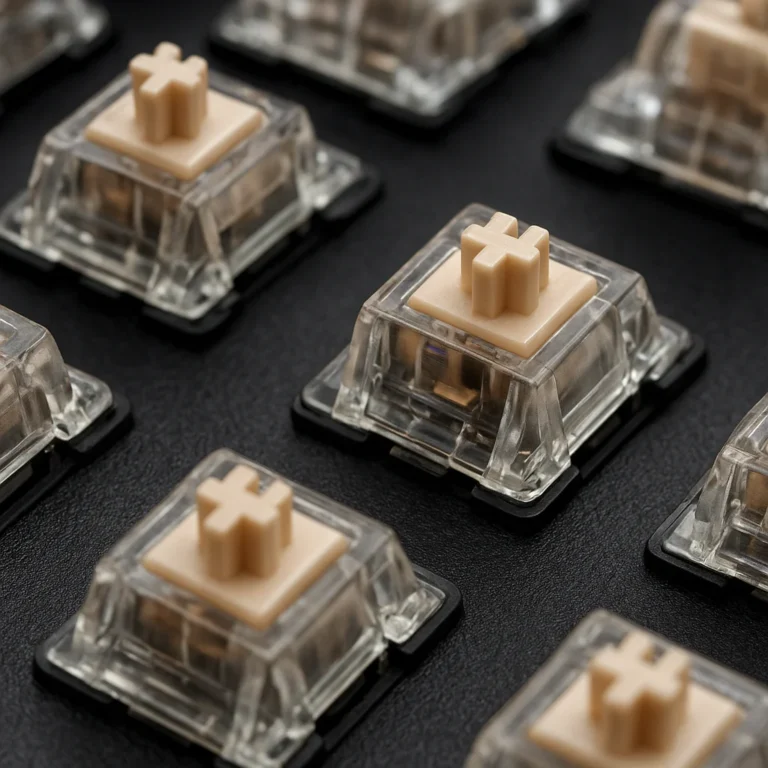
Linear switches remove the tactile bump. Tactile switches retain a bump but do not necessarily click. Silent versions add rubber dampers to reduce top-out and bottom-out impact. The result is not “soundless,” but it is usually much friendlier to microphones and sleeping partners.
Silent linear, tactile, and clicky switches compared
| Switch type | Feel | Typical sound | Best for | Potential drawback |
|---|---|---|---|---|
| Silent linear | Smooth, uninterrupted | Low, soft, muted | Gaming and quiet rapid typing | Can feel too vague for some typists |
| Silent tactile | Noticeable bump without click | Low to moderate, rounded | Writing, coding, mixed use | Usually not quite as quiet as silent linear |
| Non-silent linear | Smooth | Moderate | Gaming and general use | Bottom-out can be sharp |
| Non-silent tactile | Bump with no click | Moderate | Typing and programming | Larger keys may rattle |
| Clicky | Strong bump and click | Loud, high-pitched | Enthusiast typing | Poor choice for shared spaces |
| Scissor | Short, stable travel | Very low | Office work and travel | Limited customization |
| Rubber dome | Cushioned, soft | Very low | Basic office use | Can feel mushy or inconsistent |
A note on the MSI Strike Pro Wireless
The reviewer at Marooners’ Rock described the MSI Strike Pro Wireless as using Kailh Midnight Pro Silent Tactile switches rated below 35 dB, with a 45 gf actuation force, 1.9 mm pre-travel, and 3.7 mm total travel. Their memorable verdict was: “the silence of these keys changed my streaming game entirely.”
That is a useful perspective, but treat the sub-35 dB claim as a product-specific or test-specific result rather than a universal promise. Keyboard decibel readings change with microphone distance, room noise, key force, and whether the test includes the spacebar. The practical takeaway is stronger: tactile feedback and low noise can coexist, especially when the keyboard uses foam, gaskets, and stable switches.
Membrane and scissor-switch development
Laptop-style scissor switches became popular because they offer short travel, stable keycaps, and a slim chassis. The mechanism uses two interlocking plastic arms to keep the keycap level as it moves. Underneath, a rubber dome provides the return force and cushions the stroke.
Ruber-dome keyboards work differently. A flexible membrane collapses when you press the key, closing an electrical contact. There is less hard mechanical impact, which is why inexpensive office keyboards can be remarkably quiet despite uninspiring construction.
The trade is familiar:
- ✅ Quiet, affordable, resistant to casual spills
- ✅ Good for offices and shared rooms
- ❌ Less precise feedback
- ❌ Usually difficult or impossible to repair
- ❌ Ruber domes may degrade or become uneven
O-rings, foam, lubrication, and desk mats
A keyboard becomes quieter through several small interventions rather than one magic ingredient.
O-rings
O-rings fit around the keycap stem and shorten the downward travel. They can reduce bottom-out noise, but they may also make the keyboard feel abrupt or mushy. They do not silence the upward stroke, stabilizer rattle, or case resonance.
Case foam
Poron, silicone, PE foam, and EVA foam can fill empty internal space and reduce resonance. Foam changes sound more than it changes the actual switch mechanism. A hollow “clack” often becomes a softer “thock,” although excessive foam can make a board feel overly muted or compressed.
Lubrication
Lubing switch housings and stabilizers reduces friction and metallic chatter. It requires care: too much lubricant can make keys sluggish, contaminate contacts, or create an uneven feel. Stabilizer tuning usually delivers the biggest audible reward.
Desk mats
A thick desk mat helps isolate the keyboard from a hard desktop. Our Noise Reduction Tips section includes broader vibration-control ideas for workstations and home equipment.
The 15 Best Silent Keyboards
A quiet keyboard is personal, so we score models across noise control, typing feel, usability, connectivity, gaming capability, comfort, and value. These ratings are comparative editorial scores, not laboratory certifications.
1. Logitech MX Keys S: Best Overall Silent Keyboard
| Category | Rating / 10 |
|---|---|
| Quietness | 9.5 |
| Typing comfort | 9 |
| Design and build | 8.5 |
| Wireless functionality | 9 |
| Multi-device support | 9 |
| Gaming performance | 6.5 |
| Customization | 7.5 |
| Overall | 9 |
👉 CHECK PRICE on: Amazon | Walmart | Logitech Official Website
The Logitech MX Keys S is our safest recommendation for an office, home studio, or shared workspace. Its low-profile scissor switches produce a quiet, controlled sound, while the solid plastic chassis avoids the bright resonance we often hear from thin metal cases.
The gently dished keycaps guide your fingertips toward the center of each key. That sounds like a small detail, but it helps reduce accidental edge presses during long writing sessions. White backlighting adjusts automatically to ambient light, and Logitech’s software supports shortcuts and workflow customization.
Why it works so well
- ✅ Very quiet scissor-switch action
- ✅ Full-size layout with a number pad
- ✅ Bluetooth and USB receiver support
- ✅ Can connect with up to three devices
- ✅ Comfortable low-profile wrist angle
- ✅ Strong battery life for ordinary productivity
Where it falls short
- ❌ Not hot-swappable
- ❌ No dedicated mechanical-switch feedback
- ❌ Not designed for serious competitive gaming
- ❌ Backlighting and advanced features depend on software support
RTINGS names the MX Keys S its best mid-range quiet keyboard, while the first featured video also praises its muted sound, portability, battery life, and software flexibility. Those viewpoints align because the MX Keys S focuses on the factors that matter most in shared environments: low impact noise, stable keys, and little case resonance.
2. Keychron B6 Pro: Best Wireless Quiet Keyboard
| Category | Rating / 10 |
|---|---|
| Quietness | 9 |
| Typing comfort | 8.5 |
| Design and build | 8 |
| Wireless functionality | 9.5 |
| Multi-device support | 9 |
| Gaming performance | 7.5 |
| Customization | 8 |
| Overall | 8.7 |
👉 CHECK PRICE on: Amazon | Keychron Official Website
The Keychron B6 Pro is a versatile ultra-slim keyboard with a laptop-like profile and support for wired, Bluetooth, and 2.4 GHz wireless operation. Its scissor-style action is quiet without feeling completely dead beneath the fingers.
This is a particularly sensible choice if you alternate between a desktop, laptop, tablet, and phone. The ability to switch connection modes gives it more flexibility than many office keyboards.
Strengths
- ✅ Quiet scissor switches with useful feedback
- ✅ 2.4 GHz receiver for lower-latency wireless use
- ✅ Bluetooth multi-device pairing
- ✅ Wired mode for charging and consistent input
- ✅ Windows and macOS compatibility
- ✅ Slim enough for mobile work
Weaknesses
- ❌ Flat profile may not suit users who prefer sculpted mechanical keycaps
- ❌ Limited switch customization
- ❌ The compact feel can take a few days to learn
- ❌ Backlighting varies by configuration
Its sound is less “mechanical keyboard whisper” and more “well-behaved laptop.” That is a compliment in an office.
3. Logitech Wave Keys: Best Quiet Ergonomic Keyboard
| Category | Rating / 10 |
|---|---|
| Quietness | 9 |
| Typing comfort | 9.5 |
| Ergonomics | 9.5 |
| Wireless functionality | 8.5 |
| Multi-device support | 9 |
| Gaming performance | 5.5 |
| Customization | 7 |
| Overall | 8.8 |
👉 CHECK PRICE on: Amazon | Walmart | Logitech Official Website
The Logitech Wave Keys bends the key field into a gentle wave and raises the center slightly. This reduces the need to hold both wrists in a straight, rigid line. The integrated wrist rest adds comfort but also increases the keyboard’s footprint.
Best features
- ✅ Quiet rubber-dome switches
- ✅ Curved, slightly tented layout
- ✅ Integrated wrist rest
- ✅ Bluetooth and wireless receiver support
- ✅ Multi-device switching
- ✅ Excellent for extended office sessions
Caveats
- ❌ Layout spacing feels unusual initially
- ❌ Larger and less portable than a flat keyboard
- ❌ Limited gaming controls
- ❌ Soft key feel will not satisfy mechanical enthusiasts
We recommend easing into the Wave Keys rather than judging it after five minutes. The first session can feel like your fingers have been given a new map. After several days, the curved layout becomes less noticeable, while the reduced wrist angle becomes much easier to appreciate.
4. Microsoft Surface Keyboard: Best Low-Profile Office Keyboard
| Category | Rating / 10 |
|---|---|
| Quietness | 8.5 |
| Typing comfort | 8.5 |
| Design and build | 9 |
| Wireless functionality | 8 |
| Multi-device support | 6.5 |
| Gaming performance | 5.5 |
| Customization | 5.5 |
| Overall | 8.1 |
👉 CHECK PRICE on: Amazon | Microsoft Official Website
The Microsoft Surface Keyboard delivers a clean, understated typing experience with low-profile scissor-style keys. Its soft keystrokes suit offices where a mechanical keyboard would attract unwanted attention.
Highlights
- ✅ Quiet, refined key action
- ✅ Comfortable spacing
- ✅ Minimalist design
- ✅ Strong fit for Windows productivity
- ✅ Full-size layout options
Limitations
- ❌ Less flexible across multiple devices
- ❌ No enthusiast customization
- ❌ Not ideal for competitive gaming
- ❌ Metal and slim construction can transmit some vibration to a hard desk
It is a keyboard for people who want the desk to look finished rather than “moded.” No knobs, no RGB fireworks, no tiny OLED announcing the weather. Just quiet work.
5. Apple Magic Keyboard: Best Quiet Keyboard for Mac
| Category | Rating / 10 |
|---|---|
| Quietness | 8 |
| Typing comfort | 8 |
| Design and build | 9 |
| Wireless functionality | 8.5 |
| Multi-device support | 6.5 |
| Gaming performance | 5.5 |
| Mac integration | 9.5 |
| Overall | 8.2 |
👉 CHECK PRICE on: Amazon | Apple Official Website
The Apple Magic Keyboard offers short travel, stable keycaps, and excellent macOS integration. Versions with Touch ID add convenience for compatible Macs, while the numeric-keypad model suits spreadsheet-heavy work.
The aluminum construction feels premium, but it can reflect and transmit more sound than the plastic chassis of the Logitech MX Keys S. RTINGS makes the same practical distinction: both are quiet, but the Logitech tends to sound less resonant.
Pros
- ✅ Excellent Mac shortcut support
- ✅ Slim and stable
- ✅ Quiet scissor-style action
- ✅ Touch ID available on compatible models
- ✅ Strong battery life
Cons
- ❌ Shallow travel is not for everyone
- ❌ Metal chassis can sound brighter on hard desks
- ❌ Less useful for Windows and Linux users
- ❌ Limited remapping compared with programmable keyboards
6. Logitech K780: Best Quiet Keyboard for Multiple Devices
| Category | Rating / 10 |
|---|---|
| Quietness | 8.5 |
| Typing comfort | 8.5 |
| Design and build | 8 |
| Wireless functionality | 9 |
| Multi-device support | 9.5 |
| Gaming performance | 5 |
| Customization | 6.5 |
| Overall | 8.2 |
👉 CHECK PRICE on: Amazon | Logitech Official Website
The Logitech K780 combines quiet rounded keys with a built-in cradle for phones and tablets. Its full-size layout includes a number pad, making it attractive to office users who jump between a desktop and mobile devices.
- ✅ Quiet, cushioned typing
- ✅ Three-device switching
- ✅ Integrated device stand
- ✅ Full-size layout
- ✅ Excellent for home offices
The rounded keycaps have a distinctive feel. Some typists love the gentle finger guidance; others prefer conventional sculpted keys. It is a keyboard that asks for a brief adjustment period and rewards patience.
7. Keychron K Pro Series: Best Mid-Range Silent Mechanical Keyboard
| Category | Rating / 10 |
|---|---|
| Quietness | 8 |
| Typing comfort | 9 |
| Design and build | 8.5 |
| Wireless functionality | 8.5 |
| Multi-device support | 8.5 |
| Gaming performance | 8 |
| Customization | 9 |
| Overall | 8.5 |
👉 CHECK PRICE on: Amazon | Keychron Official Website
The Keychron K Pro family is not one single sound profile. It is a platform: choose a compact, tenkeyless, or full-size layout, then select compatible switches and keycaps.
For a quiet build, choose silent linear or silent tactile switches, use a dampened case, and tune the stabilizers. Hot-swappable sockets make experimentation much easier.
Why enthusiasts like it
- ✅ Hot-swappable switch support on many configurations
- ✅ QMK/VIA customization on compatible models
- ✅ Multiple layouts
- ✅ Bluetooth and wired operation
- ✅ Strong keycap and case ecosystem
- ✅ Easy path from ordinary to genuinely quiet
What requires care
- ❌ Factory switch choices may not be silent
- ❌ Sound varies considerably by configuration
- ❌ Customization takes time and patience
- ❌ Some users encounter software or firmware learning curves
This is the choice for someone who wants to build quietness rather than simply purchase it. Think of it as an acoustic recipe: the board is the kitchen, but the switches and stabilizers decide what comes out of the oven.
8. Ducky One 3 Silent: Best Quiet Mechanical Keyboard
| Category | Rating / 10 |
|---|---|
| Quietness | 8.5 |
| Typing comfort | 8.5 |
| Design and build | 8.5 |
| Wireless functionality | 4.5 |
| Multi-device support | 4 |
| Gaming performance | 8 |
| Customization | 7.5 |
| Overall | 8 |
👉 CHECK PRICE on: Amazon | Ducky Official Website
The Ducky One 3 is a wired mechanical keyboard family with strong construction and a broad layout range. Configurations using silent switches offer a restrained, cushioned sound that suits gamers who dislike loud key chatter.
Strengths
- ✅ Reliable wired gaming connection
- ✅ Solid construction
- ✅ Hot-swappable switch support
- ✅ PBT keycaps on many versions
- ✅ Multiple sizes and colorways
- ✅ Good stabilizer potential
Drawbacks
- ❌ No wireless convenience
- ❌ Not every configuration is silent from the factory
- ❌ Software and customization can feel less seamless than VIA-focused competitors
- ❌ Large keys still need tuning for the quietest result
9. Leopold FC750R Silent Red: Best Premium Silent Typing Experience
| Category | Rating / 10 |
|---|---|
| Quietness | 8.5 |
| Typing comfort | 9 |
| Design and build | 9 |
| Wireless functionality | 4 |
| Multi-device support | 3.5 |
| Gaming performance | 8 |
| Customization | 6 |
| Overall | 8.2 |
👉 CHECK PRICE on: Amazon | Leopold Official Website
The Leopold FC750R is known for understated design, dense construction, and excellent keycap quality. A Silent Red configuration offers smooth linear feedback with integrated switch dampening.
-
✅ Excellent PBT keycaps
-
✅ Stable, refined typing feel
-
✅ TKL layout leaves room for a mouse
-
✅ Strong factory consistency
-
✅ Minimalist appearance
-
❌ Wired-only
-
❌ Fewer customization features
-
❌ Silent linear feel may not suit tactile typists
-
❌ Availability varies by region and layout
This is a keyboard for the person who wants to type, not endlessly modify. Its quietness comes from competent fundamentals rather than a parade of features.
10. NuPhy Air75 V3: Best Quiet Low-Profile Mechanical Keyboard
| Category | Rating / 10 |
|---|---|
| Quietness | 8.5 |
| Typing comfort | 8 |
| Design and build | 9 |
| Wireless functionality | 9 |
| Multi-device support | 8.5 |
| Gaming performance | 8.5 |
| Customization | 8 |
| Overall | 8.6 |
👉 CHECK PRICE on: Amazon | NuPhy Official Website
The NuPhy Air75 V3 is RTINGS’ highlighted quiet mechanical option when paired with Gateron 2.0 Blush Nano switches. Its gasket-mounted construction provides a slightly springy feel, while internal dampening limits hollow resonance.
Standout features
- ✅ Compact 75% layout
- ✅ Low-profile mechanical switches
- ✅ Bluetooth, 2.4 GHz, and wired modes
- ✅ Mac and Windows support
- ✅ Good portability
- ✅ Improved dampening and latency over earlier versions
- ✅ Optional multifunction knob configuration
Important caveats
- ❌ Flat keycaps can require adjustment
- ❌ Stock legends may not shine through clearly
- ❌ Quietness depends on the selected switch
- ❌ Compact layout omits the number pad
The low-profile design sits between a laptop and conventional mechanical keyboard. That hybrid character is its charm, but also the reason some users need a week before their fingers stop searching for familiar key heights.
11. Razer Pro Type Ultra: Best Silent Keyboard for Productivity
| Category | Rating / 10 |
|---|---|
| Quietness | 8 |
| Typing comfort | 8.5 |
| Design and build | 8 |
| Wireless functionality | 8.5 |
| Multi-device support | 8 |
| Gaming performance | 7 |
| Customization | 7 |
| Overall | 8 |
👉 CHECK PRICE on: Amazon | Razer Official Website
The Razer Pro Type Ultra uses a full-height design with tactile switches tuned more gently than the company’s click-focused gaming models. It offers wireless connectivity, a wrist rest, and productivity-oriented programming.
-
✅ Comfortable full-height keycaps
-
✅ Wireless and wired use
-
✅ Wrist rest included
-
✅ Tactile feedback for writing
-
✅ Suitable for mixed work and gaming
-
❌ Louder than a scissor keyboard
-
❌ Larger footprint
-
❌ Software is most useful within Razer’s ecosystem
-
❌ Tactile switches may still be noticeable in a quiet room
12. Logitech G915 X Lightspeed: Best Quiet Wireless Gaming Keyboard
| Category | Rating / 10 |
|---|---|
| Quietness | 7.5 |
| Typing comfort | 8 |
| Design and build | 8.5 |
| Wireless functionality | 9.5 |
| Multi-device support | 8 |
| Gaming performance | 9 |
| Customization | 8 |
| Overall | 8.4 |
👉 CHECK PRICE on: Amazon | Logitech Official Website
The Logitech G915 X Lightspeed combines low-profile mechanical switches with Lightspeed wireless performance. Choose linear or tactile switches for a quieter result; avoid clicky variants when shared-room peace matters.
Gaming advantages
- ✅ Fast wireless response
- ✅ Low-profile key travel
- ✅ Dedicated media controls
- ✅ Programmable functions
- ✅ Strong battery performance
- ✅ Premium, slim chassis
Quietness limitations
- ❌ Mechanical bottom-out is still audible
- ❌ Metallic construction can reflect sound
- ❌ Tactile variants are not library quiet
- ❌ RGB increases visual and power demands
13. Corsair Strafe RGB MK.2 Silent: Best Full-Size Silent Gaming Keyboard
| Category | Rating / 10 |
|---|---|
| Quietness | 8 |
| Typing comfort | 8 |
| Design and build | 8 |
| Wireless functionality | 3 |
| Multi-device support | 3 |
| Gaming performance | 8.5 |
| Customization | 8.5 |
| Overall | 7.7 |
👉 CHECK PRICE on: Amazon | Corsair Official Website
The Corsair Strafe RGB MK.2 Silent uses Cherry MX Silent switches and provides full-size gaming controls, RGB, macros, and anti-ghosting. Its chassis and keycaps make it a practical gaming keyboard, although it is no longer as modern or portable as newer wireless alternatives.
-
✅ Silent mechanical switches
-
✅ Full-size layout
-
✅ Strong gaming software
-
✅ Dedicated media controls
-
✅ Macro support
-
✅ Wired reliability
-
❌ Bulky
-
❌ Wired-only
-
❌ Older design
-
❌ Spacebar and stabilizers may need attention for studio-level quietness
14. Cherry Stream Keyboard: Best Budget Quiet Keyboard
| Category | Rating / 10 |
|---|---|
| Quietness | 8.5 |
| Typing comfort | 7.5 |
| Design and build | 7 |
| Wireless functionality | 4 |
| Multi-device support | 3 |
| Gaming performance | 4 |
| Customization | 4 |
| Overall | 7.5 |
👉 CHECK PRICE on: Amazon | CHERRY Official Website
The CHERRY Stream Keyboard is a straightforward scissor-switch board for quiet office typing. It avoids flashy features and concentrates on stable, low-profile keys.
-
✅ Quiet action
-
✅ Comfortable for ordinary office work
-
✅ Full-size layout
-
✅ Dedicated productivity keys on some versions
-
✅ Simple setup
-
❌ Limited customization
-
❌ Usually wired
-
❌ Not suitable for serious gaming
-
❌ Plastic construction feels functional rather than luxurious
15. Logitech K120: Best Cheap Silent Keyboard
| Category | Rating / 10 |
|---|---|
| Quietness | 8 |
| Typing comfort | 6.5 |
| Design and build | 6 |
| Wireless functionality | 1 |
| Multi-device support | 1 |
| Gaming performance | 3.5 |
| Customization | 2 |
| Overall | 6.5 |
👉 CHECK PRICE on: Amazon | Walmart | Logitech Official Website
The Logitech K120 remains a sensible basic keyboard when you need quiet, functional input and nothing more. Its rubber-dome keys are soft and unobtrusive, though the flat angle and inexpensive plastic chassis reveal its budget roots.
-
✅ Very quiet for ordinary typing
-
✅ Full-size layout
-
✅ Plug-and-play USB
-
✅ Easy to replace
-
✅ Familiar key arrangement
-
❌ No wireless connection
-
❌ Mushy feedback
-
❌ Minimal ergonomic support
-
❌ Basic construction
-
❌ Not a gaming keyboard
Best Silent Keyboard by Use Case
Best silent keyboard for office work
Choose the Logitech MX Keys S for the best balance of quietness, comfort, shortcuts, and multi-device support. The CHERRY Stream and Logitech Signature K650 are excellent when you want fewer features and a simpler office setup.
For an open-plan office, prioritize:
- Low-profile or scissor switches
- Solid plastic construction
- A quiet spacebar
- Wireless operation
- Automatic or adjustable backlighting
- A layout matching your work software
Best Buy’s silent-keyboard guidance emphasizes sound-dampening construction, connectivity, and productivity features, but its category page does not provide enough model-level testing to identify one winner. We trust direct comparative testing more than a generic “top-ranked” label.
Best silent keyboard for shared workspaces
The order is:
- Logitech MX Keys S
- Logitech Wave Keys
- Keychron B6 Pro
- Logitech Peble Keys 2 K380s
- Logitech Signature K650
The Peble Keys 2 is particularly useful in cafés, libraries, and coworking spaces. It is small and light, though the compact layout can increase typos. For more low-noise desk gear, browse Low Noise Household Items.
Best silent keyboard for programming
Programers often need a balance of quietness, arrow-key access, function-row access, and tactile confirmation.
Our picks:
- Keychron K Pro with silent tactile switches
- NuPhy Air75 V3 with a quiet tactile or linear configuration
- Logitech MX Keys S for immediate comfort
- Leopold FC750R Silent Red for a focused TKL layout
A 75% keyboard preserves arrows and the function row while reducing desk width. A 65% board is more compact but makes function-layer shortcuts more frequent. For code-heavy work, the quietest board is not always the most efficient one if it makes navigation keys awkward.
Best silent keyboard for writers and heavy typing
Writers usually benefit from moderate tactile feedback, because a clear bump can reduce accidental presses without introducing click noise.
Recommended:
- Logitech MX Keys S for the least fuss
- MSI Strike Pro Wireless for a damped tactile mechanical experience
- Keychron K Pro with silent tactile switches
- Logitech Wave Keys when wrist posture is a major concern
The MSI reviewer reported using the keyboard for more than 50,000 words and six-hour streams, praising the tactile feedback and magnetic memory-foam wrist rest. That is a valuable long-session perspective, although it remains one reviewer’s experience rather than a controlled ergonomic study.
Best silent keyboard for gaming
For casual and competitive gaming:
- NuPhy Air75 HE: strongest performance and adjustable actuation
- Logitech G915 X Lightspeed: excellent wireless gaming flexibility
- MSI Strike Pro Wireless: quiet tactile feedback, macro keys, and multi-device use
- Corsair Strafe RGB MK.2 Silent: dependable wired full-size option
The crucial distinction is between quiet gaming and silent gaming. Fans, mouse clicks, desk movement, and voice-chat microphones can still dominate the recording. The keyboard should minimize sharp transients, not merely chase a low average dBA number.
Best silent keyboard for Mac and iPad
Choose:
- Apple Magic Keyboard for native Apple integration
- Logitech MX Keys S for multi-device flexibility
- Keychron B6 Pro for slim wireless versatility
- Logitech K780 if you want a built-in device cradle
Check whether function-row behavior, Command/Option legends, and software customization match your workflow. A Windows-first keyboard can work on macOS, but the legends may turn everyday shortcuts into a memory exercise.
Best silent keyboard for Windows
For Windows productivity, choose the Logitech MX Keys S, Logitech Signature K650, or Microsoft Surface Keyboard. For gaming, consider the NuPhy Air75 HE, Logitech G915 X Lightspeed, or Corsair Strafe RGB MK.2 Silent.
Look for:
- Dedicated Windows key
- Reliable 2.4 GHz receiver
- Software support for macros and remapping
- Anti-ghosting for games
- Full-size layout if you work with spreadsheets
Best silent keyboard for travel
The Logitech Peble Keys 2 K380s is the easiest portable recommendation. The Keychron B6 Pro is better if you need a more conventional layout and 2.4 GHz wireless.
Travel priorities should be:
- Weight and thickness
- Battery type
- Bluetooth reliability
- Protection from crushed keycaps
- Device-switching controls
- Whether the keyboard fits your bag without bending
Best Quiet Keyboards by Budget and Build Quality
Best budget quiet keyboard
The Logitech Signature K650 offers a strong combination of quiet rubber-dome switches, wireless flexibility, media controls, and an integrated wrist rest. It is not glamorous, but it is unusually practical.
Best cheap silent keyboard
The Logitech K120 wins when the brief is simply “quiet, full-size, and inexpensive.” If you can accept a wired connection and soft feedback, it does the job without drama.
The Dell KB216 is another basic option with quiet rubber-dome typing, though its flat desk position and lightweight chassis offer less comfort and stability.
Best mid-range quiet keyboard
The Logitech MX Keys S is the standout all-rounder. If you want mechanical customization instead, step toward the Keychron K Pro or NuPhy Air75 V3.
Best premium silent mechanical keyboard
For a polished factory experience, consider:
- Leopold FC750R Silent Red
- MSI Strike Pro Wireless
- NuPhy Air75 V3
- Keychron Q-series build with silent switches
Premium does not automatically mean quiet. A metal case with poor stabilization can sound more distracting than a basic plastic membrane keyboard. Build density, dampening, and tuning matter more than a logo or a heavy box.
Best Silent Gaming Keyboards
Quiet gaming switches and fast actuation
Silent switches reduce impact noise through built-in dampers. Magnetic switches take a different approach: they detect the key position using Hall-effect sensors, allowing adjustable actuation and Rapid Trigger on compatible boards.
| Gaming feature | Why it matters | Quiet-keyboard relevance |
|---|---|---|
| Silent linear switches | Smooth and reduced impact | Excellent for late-night gaming |
| Silent tactile switches | Bump without click | Better typing feedback |
| Adjustable actuation | Controls when input registers | Useful for competitive play |
| Rapid Trigger | Resets input as soon as the key rises | Helpful for repeated movement inputs |
| N-key rollover | Registers many simultaneous keys | Prevents missed combinations |
| Anti-ghosting | Avoids unintended or blocked inputs | Essential for complex controls |
| 2.4 GHz wireless | Low-latency connection | Cleaner desk and strong gaming performance |
| Foam and gasket mounting | Reduces resonance | Softens the acoustic profile |
Wireless versus wired gaming keyboards
Modern 2.4 GHz wireless keyboards can perform extremely well. Bluetooth is better for battery efficiency and office devices, but it generally is not the first choice for competitive gaming.
Choose wired when:
- You want the simplest connection
- You play tournaments or competitive titles
- You do not want to manage batteries
- The keyboard’s cable is already part of your setup
Choose 2.4 GHz wireless when:
- Desk freedom matters
- You want gaming-grade latency
- You switch between work and gaming
- You can keep the receiver close to the keyboard
RGB lighting, N-key rollover, and anti-ghosting
RGB does not make a keyboard louder, but translucent keycaps can slightly alter the sound and can prioritize appearance over thick, dampening PBT plastic. For quiet gaming, focus first on switch and case design.
Anti-ghosting is often used broadly in marketing. Look for a genuine statement about full-key or per-key anti-ghosting and N-key rollover. Then test the combinations you actually use. A board can advertise impressive rollover while its software or wireless mode imposes limitations.
Do silent switches affect gaming performance?
Usually, no meaningful performance penalty exists simply because a switch is silent. The dampening material changes sound and sometimes adds a small amount of friction or altered travel. The bigger performance factors are:
- Actuation point
- Debounce behavior
- Scan rate
- Polling rate
- Wireless protocol
- Firmware
- Your consistency on the keys
The NuPhy Air75 HE is compelling because its magnetic switches offer adjustable actuation and Rapid Trigger. The MSI Strike Pro Wireless is compelling for a different reason: its tactile silent switches help a writer or streamer feel the keys while keeping microphone noise controlled.
Best Silent Ergonomic Keyboards
Split, curved, and tented keyboard designs
Ergonomic keyboards change the relationship between your wrists, forearms, and shoulders. A curved or split design may reduce sideways wrist bending, but it can also force a learning period.
Quiet ergonomic choices include:
- Logitech Wave Keys: gentle curve, integrated rest, quiet rubber domes
- Microsoft Sculpt Ergonomic Keyboard: curved layout and cushioned key action, where available
- Kinesis Frestyle2: split layout with quiet membrane action
- ZSA Voyager: compact split mechanical platform that can be configured with quiet switches
The quietest ergonomic keyboard is not helpful if the layout slows you down or makes your shoulders tense. Comfort is a system, not a single wrist rest.
Wrist rests, key angles, and adjustable feet
A wrist rest should support the heel of your hand without forcing your wrists upward while typing. Ideally:
- Keep your shoulders relaxed.
- Float your wrists slightly while pressing keys.
- Keep your forearms approximately level with the keyboard.
- Adjust chair height before adding extreme keyboard tilt.
- Use a soft rest for pauses, not as a rigid brace.
The MSI Strike Pro Wireless reviewer specifically praised its magnetic memory-foam wrist rest for staying aligned during long sessions. We found that magnetic attachment is helpful, but the rest should still be removable because some users type more comfortably without one.
Quiet keyboards for carpal tunnel and repetitive strain
A keyboard cannot diagnose or treat carpal tunnel syndrome. For persistent numbness, tingling, weakness, or pain, consult a qualified clinician. The National Institute of Neurological Disorders and Stroke provides reliable background information.
For general strain reduction:
- Choose a layout that keeps the mouse close.
- Avoid excessive keyboard height.
- Reduce typing force.
- Take regular movement breaks.
- Consider split or curved designs.
- Adjust chair and desk height together.
- Do not assume a soft key automatically means an ergonomic key.
A quieter keyboard can reduce auditory fatigue and distraction, but it does not replace sound posture or breaks.
Wireless, Wired, and Multi-Device Connectivity
Bluetooth versus 2.4 GHz wireless
| Connection | Advantages | Drawbacks | Best use |
|---|---|---|---|
| Bluetooth | Efficient, widely compatible, multi-device | Higher variability in latency and reconection | Office, tablet, travel |
| 2.4 GHz receiver | Low latency, stable desktop performance | Uses a USB port and receiver | Gaming and daily desktop use |
| USB wired | Consistent, no battery concerns | Cable clutter | Gaming, firmware, workstations |
| Tri-mode | Maximum flexibility | More settings and possible complexity | Mixed work, gaming, and mobile use |
For quiet office work, Bluetooth is usually sufficient. For gaming, 2.4 GHz or wired is the safer choice.
USB-C charging and battery life
Battery claims need context. Lighting brightness, polling rate, wireless mode, and sleep settings can dramatically change runtime.
The MSI reviewer reported up to 1,500 hours over Bluetooth with RGB disabled, but approximately 80–100 hours with RGB at medium brightness during their own testing. Both figures can be accurate because they describe different conditions.
Treat battery claims as a range:
- RGB off, Bluetooth: maximum endurance
- RGB on, 2.4 GHz: much shorter runtime
- High polling rate: increased power demand
- Sleep disabled: rapid drain
- Cold environments: possible battery performance changes
Device switching for Windows, Mac, Linux, and mobile
Look for:
- Dedicated device keys
- Clear connection indicators
- Separate Bluetooth profiles
- Mac/Windows mode switches
- Receiver storage
- Wired fallback
The Logitech MX Keys S supports up to three Bluetooth devices and a receiver, while the MSI Strike Pro Wireless reviewer used separate profiles for a streaming PC, MacBook, and iPad. Multi-device switching is particularly valuable for writers, developers, and remote workers who constantly change screens.
Keyboard Layouts, Sizes, and Essential Features
Full-size, tenkeyless, 75%, 65%, and 60% keyboards
| Layout | Includes | Omits or compresses | Best for |
|---|---|---|---|
| Full-size | Number pad, arrows, function row | Large footprint | Finance, spreadsheets, office work |
| TKL | Function row and arrows | Number pad | Gaming and general productivity |
| 75% | Function row, arrows, compact navigation | Tighter spacing | Small desks, programming |
| 65% | Arows, some navigation | Function row | Compact gaming and typing |
| 60% | Main alphanumeric block | Arows, function row, navigation | Minimalist setups |
| 96% | Nearly full-size in compressed form | Reduced spacing | Number-pad users with less desk space |
A smaller layout is not automatically quieter. It may reduce the number of large keys and stabilize the case, but cramped spacing can increase accidental key presses, producing more typing noise simply because you hit the wrong key more often.
ANSI versus ISO layouts
ANSI and ISO differ in Enter-key shape, left Shift size, and punctuation placement. Choose based on your region and muscle memory. Replacement keycaps and aftermarket switches may be easier to find for ANSI layouts, but ISO users should not sacrifice comfort for availability.
Number pads, function rows, media controls, and programmable keys
Prioritize the controls you actually use:
- Spreadsheet users should retain a number pad.
- Video editors may value dedicated media keys.
- Streamers benefit from macros and profile switching.
- Programmers often prefer arrows and a function row.
- Gamers may prefer TKL or 75% layouts for mouse space.
The MSI Strike Pro Wireless includes three programmable macro keys and a multifunction wheel, which makes it more useful for streaming than a minimalist board. By contrast, the Logitech MX Keys S keeps controls integrated and unobtrusive.
Backlighting, keycap legends, and shine-through design
Backlighting helps in dark rooms, but shine-through legends often require thinner keycap walls that can change the sound profile. Thick PBT keycaps generally sound deeper and resist shine, but their legends may be harder to read at night.
The NuPhy Air75 V3’s high-quality PBT keycaps are durable and textured, yet RTINGS notes that the legends may be difficult to see in darkness because they do not shine through. The MSI Strike Pro Wireless has a similar compromise: RGB glows around the keys, while its dye-sublimated legends remain opaque.
How We Evaluate Keyboard Quietness
Sound profile: bottom-out, upstroke, and spacebar noise
We listen for:
- Attack: how sharply each key begins its sound
- Body: the fullness or hollowness of the case
- Decay: how long the sound lingers
- Rattle: unwanted stabilizer movement
- Consistency: whether the sound changes across the board
A keyboard can have a low average dBA and still sound annoying if the spacebar produces a sharp metallic ping every few seconds. We therefore record both ordinary typing and deliberate large-key tests.
Measuring keyboard noise in decibels
We use dBA measurements as a comparison tool, not a universal truth. The National Institute for Occupational Safety and Health explains that decibels represent sound pressure on a logarithmic scale, and exposure depends on both level and duration.
Our practical process:
- Measure the room’s baseline noise.
- Place the microphone at a consistent distance.
- Type the same passage at a controlled pace.
- Test spacebar, Enter, Backspace, and Shift separately.
- Record wired and wireless modes when relevant.
- Repeat after adding a desk mat.
- Listen to the tonal character, not only the numerical peak.
This prevents a quiet room from making every keyboard appear louder and avoids treating a single microphone reading as scientific destiny.
Typing feel, stability, key rattle, and feedback
We assess:
- Key woble
- Switch smoothness
- Tactile bump consistency
- Bottom-out harshness
- Large-key stability
- Finger fatigue
- Error rate during long typing
A soft key is not necessarily comfortable. Some rubber domes feel pleasant for short messages but become tiring during long sessions because the actuation point is vague. Conversely, silent tactile switches can provide enough feedback to reduce errors without the sharp click that bothers nearby people.
Build quality, warranty, and long-term reliability
Look for:
- Replaceable keycaps
- Hot-swappable sockets
- Standard switch compatibility
- Strong stabilizers
- Firmware support
- A clear warranty
- Spare receiver availability
- Battery replacement options
Mechanical keyboards are usually easier to repair or customize, while membrane keyboards are often cheaper to replace. Neither is automatically more sustainable. A durable board used for years may better than a customizable board that is abandoned after two months.
How to Make Any Keyboard Quieter
Choose silent switches and compatible keycaps
For a mechanical keyboard:
- Confirm the board supports the switch type.
- Check whether it uses 3-pin or 5-pin sockets.
- Choose silent linear switches for smooth, low-impact action.
- Choose silent tactile switches for feedback without a click.
- Use thick, compatible keycaps to reduce sharp resonance.
- Test the largest keys separately.
Popular silent switch families include Cherry MX Silent Red, Gateron Silent Red, Kailh Midnight Pro Silent, Outemu Silent Peach, and various TTC silent designs. Compatibility matters more than brand prestige.
Install switch dampeners and O-rings
For compatible MX-style keycaps:
- Remove the keycap with a proper puller.
- Seat the O-ring evenly around the stem.
- Reinstall the keycap without twisting.
- Test the travel and return.
- Remove the O-ring if the key feels too abrupt.
O-rings are a quick experiment, not a cure-all. They reduce bottom-out but cannot fix a rattling stabilizer or hollow case.
Reduce spacebar and stabilizer rattle
- Remove the spacebar carefully.
- Inspect the stabilizer wires and housings.
- Clean dust and debris.
- Apply suitable stabilizer lubricant sparingly.
- Check that both sides move evenly.
- Reinstall and test repeated presses.
Do not flood the mechanism with lubricant. If the keyboard is hot-swappable and modular, replacement stabilizers may produce a larger improvement than repeated tuning.
Use a desk mat, keyboard pad, or sound-dampening foam
A thick desk mat reduces mechanical coupling between the keyboard and desk. Add internal foam only when the case has room and ventilation is not obstructed.
A simple testing order:
- Record the keyboard on the bare desk.
- Add a desk mat.
- Compare the spacebar and Enter key.
- Add case foam if safe.
- Retest for hollowness and key feel.
This is where many “loud keyboard” complaints secretly originate. The keyboard may not be loud; the desk may be acting like an amplifier.
Clean and maintain your keyboard
Dust and grit increase friction and rattle. Every few months:
- Disconnect the keyboard.
- Remove loose keycaps where appropriate.
- Use compressed air carefully.
- Wipe keycaps with a lightly dampened cloth.
- Avoid spraying liquid directly into switches.
- Check cables, receivers, and battery contacts.
- Update firmware only from the manufacturer’s official site.
Our wider Low Noise Kitchen Gadgets coverage follows the same principle: maintenance often prevents noise before replacement becomes necessary.
Membrane vs. Mechanical vs. Scissor-Switch Keyboards
Which keyboard type is quietest?
| Keyboard type | Typical quietness | Feel | Durability | Customization |
|---|---|---|---|---|
| Rubber dome | Excellent | Soft and cushioned | Moderate | Low |
| Scissor | Excellent | Short and stable | Moderate to high | Low |
| Silent mechanical | Good to excellent | Linear or tactile | High | High |
| Standard mechanical | Variable | Strong feedback | High | High |
| Magnetic/Hall effect | Variable | Adjustable, often linear | High | High |
| Clicky mechanical | Poor for shared rooms | Crisp and loud | High | High |
For pure quietness, scissor and rubber-dome keyboards remain the easiest recommendations. For quietness plus repairability and feedback, choose a well-damped silent mechanical board.
Typing comfort and fatigue
Comfort depends on:
- Travel distance
- Actuation force
- Key spacing
- Keyboard height
- Wrist angle
- Tactile feedback
- Your typing technique
A very light switch can reduce force but encourage bottoming out, creating more impact noise. A slightly heavier silent tactile switch may be quieter in practice because it encourages controlled presses.
Durability, repairability, and customization
Mechanical boards typically offer:
- Replaceable switches
- Removable keycaps
- Firmware customization
- Greater layout variety
- Easier acoustic tuning
Membrane boards typically offer:
- Lower initial complexity
- Spill resistance in some models
- Quiet operation without modification
- Simpler plug-and-play use
Pick the platform that matches your temperament. If you enjoy tuning stabilizers on a Sunday afternoon, a Keychron is a hobby. If you regard stabilizer tuning as an insult from the universe, buy the MX Keys S.
Quiet Keyboard Pros and Cons
Advantages of silent keyboards
- ✅ Less distraction in shared rooms
- ✅ Better microphone recordings
- ✅ More comfortable late-night work
- ✅ Easier communication during gaming
- ✅ Reduced sharp impact noise
- ✅ Greater focus for writing and coding
- ✅ More considerate office etiquette
Research from the World Health Organization connects excessive environmental noise with sleep and health concerns, although a quiet keyboard alone is not a health intervention. The sensible interpretation is modest: reducing unnecessary intermittent noise can make a workspace more pleasant.
Potential drawbacks of silent switches
- ❌ Some feel mushy or less defined
- ❌ Dampeners can add friction
- ❌ Quiet mechanical boards may cost more than office membranes
- ❌ O-rings can shorten travel and alter feel
- ❌ Thick dampening can make sound too muted for enthusiasts
- ❌ Silent does not mean soundless
- ❌ Large keys may remain noisy
A quiet keyboard can also expose other sounds: your mouse, chair, desk drawers, or enthusiastic coffee stirring. The keyboard may become innocent while the rest of the workstation starts looking suspicious.
Notable Quiet Keyboard Alternatives
Best silent keyboard switches to buy separately
Consider these categories:
- Cherry MX Silent Red: familiar, smooth linear feel
- Gateron Silent Red: light linear option with broad compatibility
- Kailh Midnight Pro Silent Tactile: tactile feedback with strong dampening
- Outemu Silent Peach: popular for affordable quiet builds
- TC Silent Bluish White: tactile option for users wanting more definition
Always verify socket compatibility, pin count, plate fit, and keycap standard before ordering.
Best quiet keycaps and stabilizers
For a softer sound:
- Choose thicker PBT keycaps.
- Avoid excessively thin, resonant caps.
- Use compatible stabilizers with low woble.
- Lubricate stabilizers sparingly.
- Ensure the spacebar is not warped.
- Test the Enter and Backspace keys separately.
Best silent keyboard accessories
Useful accessories include:
- Thick desk mat
- Keycap puller
- Switch puller
- Switch opener
- Stabilizer lubricant
- Replacement dampening foam
- USB extension cable for a wireless receiver
- Wrist rest suited to your keyboard height
Avoid buying a wrist rest before checking keyboard height. A thick rest paired with a low-profile keyboard can raise the heel of your hand too much.
Our Silent Keyboard Testing Method
Typing tests and noise comparisons
We use a repeatable text passage containing:
- Letters across the whole alphabet
- Repeated vowels
- Numbers
- Punctuation
- Capital letters
- Common modifier combinations
- Large-key presses
We test ordinary touch typing, deliberately heavy typing, and slow accuracy typing. The same keyboard can sound entirely different under those three conditions.
Gaming, office, and shared-room testing
Each suitable model receives practical testing in:
- Word processing
- Web research
- Spreadsheet navigation
- Programming or shortcut-heavy workflows
- Late-night gaming
- Voice chat
- Microphone recording
For gaming boards, we test simultaneous key presses, movement inputs, repeated taps, and wireless stability. For office boards, we focus on fatigue, device switching, and accidental keystrokes.
Battery, connectivity, and software testing
We check:
- Pairing time
- Reconnection after sleep
- Range at a normal desk
- Wired fallback
- Charging behavior
- Battery indicators
- Mac/Windows switching
- Remapping software
- Firmware updates
- Receiver storage
A keyboard that is silent but repeatedly drops Bluetooth is not peaceful. It is merely quiet while causing a different kind of noise in your head.
Silent Keyboard Comparison Chart
Quietness, switch type, layout, and connectivity
| Keyboard | Switch technology | Layout | Connection | Best use | Quietness |
|---|---|---|---|---|---|
| Logitech MX Keys S | Scissor | Full-size | Bluetooth, receiver, wired charging | Office | 9.5/10 |
| Keychron B6 Pro | Scissor | Full-size/slim | Bluetooth, 2.4 GHz, wired | Multi-device work | 9/10 |
| Logitech Wave Keys | Rubber dome | Curved full-size | Bluetooth, receiver | Ergonomics | 9/10 |
| NuPhy Air75 V3 | Silent mechanical option | 75% | Bluetooth, 2.4 GHz, wired | Quiet mechanical use | 8.5/10 |
| MSI Strike Pro Wireless | Silent tactile mechanical | Full-size | Bluetooth, 2.4 GHz, wired | Gaming and streaming | 8.5/10 |
| Keychron K Pro | Mechanical, configurable | Several | Bluetooth, wired | Custom builds | 8/10 |
| Apple Magic Keyboard | Scissor | Compact/full-size | Bluetooth, wired charging | Mac | 8/10 |
| Logitech G915 X | Low-profile mechanical | Full-size/TKL | 2.4 GHz, Bluetooth, wired | Wireless gaming | 7.5/10 |
| Logitech K650 | Rubber dome | Full-size | Bluetooth, receiver | Budget office | 8.5/10 |
| Logitech K120 | Rubber dome | Full-size | Wired USB | Basic use | 8/10 |
Best features and biggest compromises
| Model | Best feature | Biggest compromise |
|---|---|---|
| MX Keys S | Excellent all-round quietness | No mechanical customization |
| B6 Pro | Tri-mode connectivity | Flat laptop-style feel |
| Wave Keys | Ergonomic shape | Large footprint and adaptation period |
| Air75 V3 | Quiet mechanical flexibility | Compact layout and opaque legends |
| MSI Strike Pro Wireless | Tactile quietness plus macros | Software setup and opaque RGB legends |
| Keychron K Pro | Customization | Requires configuration for ideal quietness |
| Magic Keyboard | Mac integration | More case resonance than MX Keys S |
| G915 X | Wireless gaming performance | Mechanical impact remains audible |
| K650 | Quiet, comfortable value | Mushy feedback |
| K120 | Simple and quiet | Basic build and wired-only operation |
How to Choose the Best Silent Keyboard
Match the keyboard to your workspace
For a library or shared bedroom, start with a scissor or rubber-dome board. For a private office, you can choose a silent mechanical keyboard if you want stronger feedback.
Consider the room:
- Hard desks amplify vibration.
- Glass desks reflect high frequencies.
- Nearby microphones capture spacebar and stabilizer noise.
- Shared walls make low-frequency thumps more noticeable.
- Carpet and soft furnishings reduce reflection.
Select the right switch and typing feel
Use this simple path:
- Want maximum quiet? Choose scissor or rubber dome.
- Want mechanical customization? Choose hot-swappable silent switches.
- Want smooth gaming? Choose silent linear.
- Want typing feedback? Choose silent tactile.
- Want adjustable actuation? Choose Hall-effect magnetic switches.
- Want a click? Accept that the keyboard will not be truly quiet.
Prioritize comfort, layout, and connectivity
Do not buy a 60% keyboard merely because it photographs beautifully. Confirm that you can live without the function row, navigation keys, and number pad.
For most people:
- Full-size: office and spreadsheets
- TKL: gaming and general work
- 75%: compact productivity
- 65%: minimalist gaming
- Scissor compact: travel and shared spaces
Avoid common silent keyboard buying mistakes
- Assuming every “silent” mechanical switch sounds the same
- Ignoring the spacebar
- Confusing low average dBA with a pleasant sound profile
- Buying a metal case without acoustic treatment
- Choosing Bluetooth for competitive gaming without checking latency
- Forgeting Mac/Windows compatibility
- Adding O-rings before testing the stock feel
- Buying a wrist rest that is too tall
- Selecting a compact layout without checking missing keys
- Treating marketing claims as standardized laboratory results
The unanswered question from the beginning was simple: which keyboard is actually best? For most people, it is the Logitech MX Keys S. For quiet mechanical enthusiasts, it is the NuPhy Air75 V3 with suitable silent switches. For gamers who care about latency, the NuPhy Air75 HE leads. For ergonomic comfort, the Logitech Wave Keys wins. The quietest keyboard is therefore not one universal object, but the quietest model that still lets you work, play, and type naturally.