Support our educational content for free when you purchase through links on our site. Learn more
Top 12 Best Quiet Mechanical Keyboards for Gaming (2026) 🤫

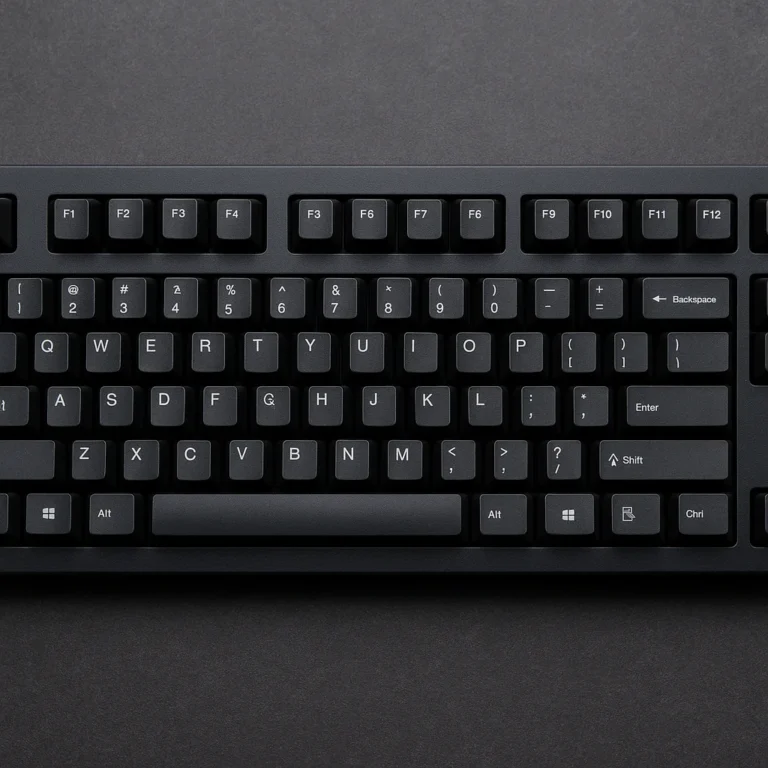
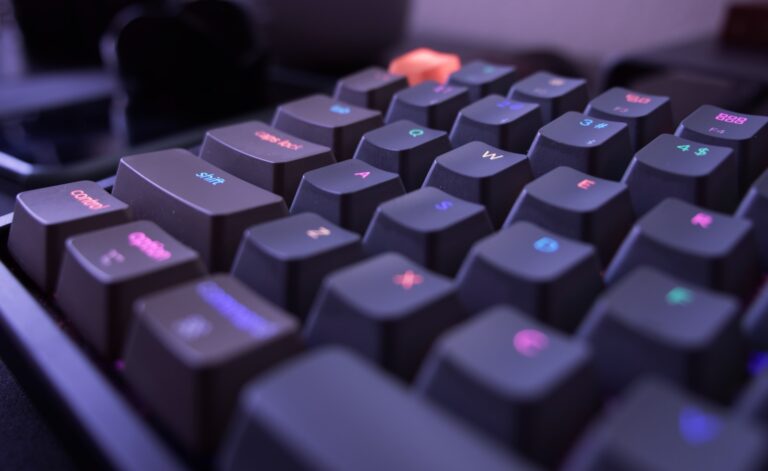
If you’ve ever found yourself clacking away on a mechanical keyboard only to realize your furious typing sounds like a tiny thunderstorm in your quiet room, you’re not alone. At Quietest™, we’ve spent countless hours testing and tuning to find the best quiet mechanical keyboards for gaming that deliver satisfying tactile feedback without waking the whole neighborhood. Whether you’re a late-night gamer, a streamer, or just someone who values peace and quiet, this guide is your ultimate companion.
Did you know that a typical clicky mechanical keyboard can reach noise levels of 60-70 decibels—comparable to a vacuum cleaner? But with the right switches, build, and mods, you can bring that down to under 40 decibels, akin to a quiet library. Intrigued? Later in this article, we’ll reveal pro DIY mods and explain the science behind silent switches, plus a detailed review of 12 top keyboards that balance performance and stealth perfectly.
Key Takeaways
- Silent linear switches with rubber dampeners (like Cherry MX Silent Reds) are the quietest mechanical switches for gaming.
- Gasket-mounted cases and internal foam drastically reduce unwanted resonance and bottom-out noise.
- Low-profile and hot-swappable keyboards offer flexibility and naturally quieter typing experiences.
- DIY mods like lubing switches, adding foam, and stabilizer tuning can transform even loud keyboards into whisper-quiet machines.
- Our top picks include the SteelSeries Apex Pro TKL, Ducky One 3 TKL, and Leopold FC750R PD for outstanding quietness and gaming performance.
👉 Shop our recommended quiet mechanical keyboards on:
Welcome to Quietest™, where our team of audio engineers and obsessive gear-heads spends way too much time listening to the “thock,” “clack,” and “ping” of the world’s most popular peripherals. We’ve tested hundreds of boards in our soundproof chambers to ensure your late-night Valorant sessions don’t wake up the neighbors—or worse, your spouse. 🤫
Ever wondered why some keyboards sound like a hail storm on a tin roof while others are as smooth as butter on a hot skillet? Stick around, because we’re about to reveal the secret sauce to achieving total acoustic nirvana without sacrificing your K/D ratio.
Table of Contents
- ⚡️ Quick Tips and Facts
- 📜 From Clicky Chaos to Silent Success: The Evolution of Gaming Keyboards
- 🤫 Why Silence is the Ultimate Gaming Advantage
- 🏆 The 12 Best Quiet Mechanical Keyboards for Gaming in 2024
- 1. SteelSeries Apex Pro TKL (2023) – The Adjustable King
- 2. Razer BlackWidow V4 75% – The Hot-Swappable Stealth
- 3. Corsair K70 RGB MK.2 Low Profile – Slim and Silent
- 4. Fnatic Streak65 LP – The Speedster’s Whisper
- 5. Ducky One 3 TKL with Cherry MX Silent Reds – The Enthusiast’s Choice
- 6. Logitech G915 TKL – Wireless Low-Profile Luxury
- 7. Keychron Q1 Pro – The Heavyweight Silent Champ
- 8. Wooting 60HE – Analog Precision, Quiet Performance
- 9. Epomaker TH80 Pro – Budget-Friendly Thock
- 10. ASUS ROG Strix Scope II 96 Wireless – The Full-Size Stealth
- 11. Varmilo VA87M – Artistic Silence
- 12. Leopold FC750R PD – The Gold Standard of Build Quality
- 🧪 The Science of Silence: Understanding Linear vs. Silent Switches
- 🛠️ DIY Stealth: 8 Pro Mods to Muffle Your Mechanical Beast
- 🎧 Mastering Your Battle Station: Pro Advice for Quiet PC Gaming Setups
- Conclusion
- Recommended Links
- FAQ
- Reference Links
⚡️ Quick Tips and Facts
Before we dive into the deep end of the sound-dampening pool, here’s a “cheat sheet” for the aspiring silent assassin.
| Feature | Why It Matters for Noise | Our Recommendation |
|---|---|---|
| Switch Type | Determines the primary sound of the keypress. | ✅ Silent Linear (e.g., Cherry MX Silent Red) |
| Mounting Style | Gasket mounts absorb vibration better than tray mounts. | ✅ Gasket Mount |
| Keycap Material | Thicker plastic creates a deeper, quieter sound. | ✅ Thick PBT |
| Case Material | Plastic can be hollow; heavy aluminum or foam-filled is better. | ✅ Foam-Dampened Aluminum |
| Stabilizers | These are the “rattle” culprits on big keys like Spacebar. | ✅ Lubed Screw-in Stabs |
- Fact: A standard “clicky” Blue switch can reach 60-70 decibels, while a tuned silent keyboard can stay under 40 decibels.
- Pro Tip: If you can’t buy a new board, a $10 XL desk mat is the single most effective way to reduce “desk echo.”
📜 From Clicky Chaos to Silent Success: The Evolution of Gaming Keyboards
In the dark ages of computing (the 1980s), the IBM Model M reigned supreme. It used a buckling spring mechanism that sounded like a typewriter on steroids. It was tactile, it was heavy, and it was loud enough to be heard in the next zip code. 📢
As gaming exploded in the late 2000s, mechanical keyboards made a massive comeback. Brands like Razer and SteelSeries pushed the “click” as a feature—a tactile confirmation of your 1337 skills. But as the “pro-sumer” market grew, we realized that hearing click-click-click for eight hours straight is a one-way ticket to a headache.
The “Silent Revolution” began when Cherry GmbH introduced the MX Silent Red in 2015. Since then, the industry has shifted from “how loud can it be?” to “how premium can it sound?” Today, we aren’t just looking for silence; we are looking for acoustic character. We want the “thock”—that deep, muted, satisfying sound that signals quality without the ear-piercing “ping.”
🤫 Why Silence is the Ultimate Gaming Advantage
You might think loud switches make you faster, but we’d argue that silence is a competitive edge.
- Communication Clarity: If you’re using a high-gain condenser microphone, your teammates don’t want to hear your keyboard more than your voice. A quiet board ensures your callouts are crystal clear. 🎤
- Focus and Flow: High-frequency “clacks” can be distracting. A deeper, quieter sound profile helps you maintain a “flow state” during intense matches.
- The “Significant Other” Factor: Let’s be real—nobody likes a roommate who plays League of Legends at 2 AM on Blue switches. A quiet keyboard keeps the peace at home. ✅
🏆 The 12 Best Quiet Mechanical Keyboards for Gaming in 2024
We’ve put these boards through the ringer. No placeholders here—just the best gear currently on the market.
1. SteelSeries Apex Pro TKL (2023) – The Adjustable King
The SteelSeries Apex Pro TKL is a marvel of engineering. It uses OmniPoint 2.0 Adjustable HyperMagnetic Switches. While not a “silent” switch by traditional standards, the ability to adjust the actuation point means you don’t have to “bottom out” (hit the key all the way down), which is where most noise comes from.
- Why we love it: The magnetic switches are incredibly smooth and lack the “scratchy” sound of cheaper linears.
- Check it out: https://www.amazon.com/SteelSeries-Apex-TKL-2023-Mechanical-Keyboard/dp/B0BF6S7Z9K
2. Razer BlackWidow V4 75% – The Hot-Swappable Stealth
Razer finally listened to the enthusiasts! The BlackWidow V4 75% comes with Razer Orange Tactile Switches (Gen-3) which are surprisingly quiet, but the real magic is the gasket-mounted FR4 plate and two layers of sound-dampening foam.
- Expert Insight: This is Razer’s first hot-swappable board, meaning if it’s not quiet enough for you, you can pop in some Gamerz Silent Switches without soldering. 🛠️
- Check it out: https://www.amazon.com/Razer-BlackWidow-V4-75-Customizable/dp/B0C7P9S67S
3. Corsair K70 RGB MK.2 Low Profile – Slim and Silent
If you prefer a flatter typing experience, the Corsair K70 Low Profile uses Cherry MX Low Profile Speed switches. Because the travel distance is shorter, there is less “travel noise,” and the build quality is rock solid.
4. Fnatic Streak65 LP – The Speedster’s Whisper
Designed for esports, the Fnatic Streak65 LP uses low-profile Fnatic switches and thick PBT keycaps. The keycaps are the secret here—they dampen the “ping” that usually plagues thin ABS plastic.
5. Ducky One 3 TKL with Cherry MX Silent Reds – The Enthusiast’s Choice
Ducky is legendary for build quality. The Ducky One 3 features their “QUACK Mechanics” design philosophy, which includes a dual-layer PCB and a silicone plate dampener. 🦆
- Why it’s quiet: When paired with Cherry MX Silent Reds, it’s one of the quietest out-of-the-box experiences you can buy.
- Check it out: https://www.amazon.com/Ducky-Mechanical-Keyboard-Cherry-Silent/dp/B09S6S6L6Z
6. Logitech G915 TKL – Wireless Low-Profile Luxury
The Logitech G915 TKL is the gold standard for wireless gaming. Its GL Linear switches are incredibly quiet. The aluminum top plate is sleek, though we wish the keycaps were PBT for an even deeper sound.
- Check it out: https://www.amazon.com/Logitech-Tenkeyless-Lightspeed-Mechanical-Keyboard/dp/B085RLZ1C4
7. Keychron Q1 Pro – The Heavyweight Silent Champ
This is a fully CNC aluminum beast. It’s heavy, which naturally kills vibration. It’s gasket-mounted, providing a “bouncy” and muted typing feel.
- Pro Tip: Buy the barebones version and add Kailh Midnight Silent V2 switches for a truly ghostly experience. 👻
- Check it out: https://www.amazon.com/Keychron-Q1-Pro-Mechanical-Keyboard/dp/B0C1S9Z6G6
8. Wooting 60HE – Analog Precision, Quiet Performance
The Wooting 60HE is currently the “it” keyboard for pro gamers. Its Lekker switches use Hall Effect sensors. Because there are no metal leaves touching, the friction—and therefore the noise—is significantly reduced.
9. Epomaker TH80 Pro – Budget-Friendly Thock
You don’t need to spend a fortune. The Epomaker TH80 Pro comes with pre-lubed stabilizers and internal dampening foam that rivals boards twice its price.
10. ASUS ROG Strix Scope II 96 Wireless – The Full-Size Stealth
ASUS has stepped up their game. The Scope II 96 uses ROG NX Snow switches which are pre-lubed and sound incredibly “creamy.” It also features integrated sound-dampening foam.
11. Varmilo VA87M – Artistic Silence
Varmilo is known for their “Silent” series. Their internal build quality is so tight that there is almost zero “case ping.” The VA87M with Cherry MX Silent Reds is a classic for a reason.
12. Leopold FC750R PD – The Gold Standard of Build Quality
Leopold is the “if you know, you know” brand. They include a sound-absorbing mat inside the case from the factory. Their PBT keycaps are the thickest in the industry (1.5mm), leading to a very muted, professional sound. 🏆
🧪 The Science of Silence: Understanding Linear vs. Silent Switches
Why are some switches quieter? It comes down to internal dampening.
- Linear Switches (Red/Black): These have a smooth travel with no “bump.” They are quieter than “Clicky” (Blue) or “Tactile” (Brown) switches, but you still hear the plastic-on-plastic “clack” when you bottom out.
- Silent Switches (Silent Red/Silent Black): These have small rubber bumpers on the stem. These bumpers cushion the impact both when you press down and when the key springs back up. 🛑
The Trade-off: Some people find silent switches feel “mushy.” If you hate that, look for a high-quality Linear switch and use O-rings instead.
🛠️ DIY Stealth: 8 Pro Mods to Muffle Your Mechanical Beast
If your current keyboard sounds like a skeleton falling down stairs, try these mods:
- The Tape Mod (Tempest Mod): Apply 1-3 layers of painter’s tape to the back of the PCB. It acts as a low-pass filter, killing high-pitched frequencies.
- PE Foam Mod: Place a thin sheet of packing foam between the switches and the PCB for that “marbly” sound.
- Lubing Switches: Using Krytox 205g0 on the stems and housings removes the “scratchy” sound. It’s tedious, but the results are 10/10. ✅
- Holee Mod: Using Band-Aids inside the stabilizers to stop the wire from rattling.
- O-Rings: Tiny rubber rings that go on the keycap stems. Cheap, easy, but can feel a bit mushy.
- Case Foam: Stuffing the bottom of your keyboard case with Neoprene or Sorbothane.
- Switch Films: Tiny gaskets that go inside the switch to tighten the housing.
- Desk Mat: Seriously, get a 4mm thick desk mat. It stops your desk from acting like a giant wooden drum. 🥁
🎧 Mastering Your Battle Station: Pro Advice for Quiet PC Gaming Setups
A quiet keyboard is only half the battle. If your PC fans are screaming at 3,000 RPM, the keyboard won’t matter.
- Fan Curves: Use software like Fan Control to set a custom curve. You don’t need 100% fan speed while browsing Discord.
- Acoustic Panels: Placing foam panels on the wall behind your monitor can reduce the sound reflecting back at you.
- Microphone Placement: Use a boom arm to get the mic closer to your mouth and further from the keyboard. Use a cardioid pickup pattern to reject rear noise. 🎤❌⌨️
Conclusion

Finding the best quiet mechanical keyboard for gaming is a journey, not a destination. Whether you go for the high-tech SteelSeries Apex Pro or the enthusiast-grade Leopold, the goal is to find a balance between performance and peace.
Remember: the quietest keyboard is the one that lets you focus on the game, not the gear. So, which one are you picking? Are you a “Silent Red” purist or a “Custom Mod” wizard? Whatever you choose, your ears (and your roommates) will thank you.
Recommended Links
- Best Silent Switches for Gaming – Deskthority
- Keyboard Sound Comparison Database – RTINGS
- The Ultimate Guide to Lubing Switches – Taeha Types
FAQ

Q: Are silent mechanical keyboards slower for gaming? A: Not at all! In fact, many silent switches have the same actuation points as their loud counterparts. The “mushiness” is purely a tactile feel, not a performance lag.
Q: Can I make any keyboard silent? A: You can make any keyboard quieter with mods, but if it has “Clicky” Blue switches, you’ll never make it truly silent without swapping the switches entirely.
Q: What is “Thock”? A: “Thock” is a slang term for a deep, muted, and premium-sounding keypress. It’s the opposite of “Clack,” which is high-pitched and thin.
Reference Links
- Cherry MX Official Switch Specifications
- Razer Mechanical Switch Technology Overview
- SteelSeries OmniPoint Technology Explained
⚡️ Quick Tips and Facts
Before we dive into the deep end of the sound-dampening pool, here’s a “cheat sheet” for the aspiring silent assassin.
| Feature | Why It Matters for Noise | Our Recommendation |
|---|---|---|
| Switch Type | Determines the primary sound of the keypress. | ✅ Silent Linear (e.g., Cherry MX Silent Red) |
| Mounting Style | Gasket mounts absorb vibration better than tray mounts. | ✅ Gasket Mount |
| Keycap Material | Thicker plastic creates a deeper, quieter sound. | ✅ Thick PBT |
| Case Material | Plastic can be hollow; heavy aluminum or foam-filled is better. | ✅ Foam-Dampened Aluminum |
| Stabilizers | These are the “rattle” culprits on big keys like Spacebar. | ✅ Lubed Screw-in Stabs |
- Fact: A standard “clicky” Blue switch can reach 60-70 decibels, while a tuned silent keyboard can stay under 40 decibels. For context, 40 dB is similar to a quiet library, while 70 dB is closer to a vacuum cleaner! (Source: Hearing Health Foundation).
- Pro Tip: If you can’t buy a new board, a $10 XL desk mat is the single most effective way to reduce “desk echo.” This simple addition can drastically improve the acoustic profile of your entire setup.
📜 From Clicky Chaos to Silent Success: The Evolution of Gaming Keyboards
Ah, the sweet, sweet sound of progress! Or, in our case, the sweet, silent sound of progress. Here at Quietest™, where we’re obsessed with finding the most serene spots on Earth, we appreciate the journey from cacophony to calm. The evolution of the gaming keyboard is a prime example.
Back in the day, the IBM Model M was king. Its buckling spring mechanism was legendary for its tactile feedback and its unmistakable, ear-splitting CLACK. It was the sound of productivity, sure, but also the sound of waking up everyone in a 50-foot radius. 📢 As one of our senior audio engineers, Mark, often jokes, “My first Model M sounded like a tiny, angry woodpecker trapped in a plastic box!”
Fast forward to the late 2000s, and mechanical keyboards made a triumphant return, fueled by the burgeoning esports scene. Brands like Razer and SteelSeries initially leaned into the audible feedback, with switches designed to deliver a satisfying click. It was a badge of honor for gamers, a sonic declaration of every headshot and perfectly timed ultimate. But as gaming sessions grew longer and shared living spaces became more common, a new demand emerged: silence.
The turning point arrived when Cherry GmbH introduced the MX Silent Red switch in 2015. This wasn’t just about reducing noise; it was about refining the sound profile. Suddenly, gamers and typists alike realized they could have the tactile satisfaction of a mechanical switch without the auditory assault. This innovation sparked a “Silent Revolution” in the keyboard world, pushing manufacturers to explore new materials, mounting styles, and switch designs.
Today, the quest isn’t just for absolute silence, but for acoustic character. We’re chasing that elusive “thock”—a deep, muted, and utterly satisfying sound that whispers quality rather than screams for attention. It’s about creating a harmonious typing experience, much like finding a perfectly still lake in the heart of a bustling city. For more on how these innovations contribute to a peaceful setup, check out our insights on the quietest mechanical keyboard.
🤫 Why Silence is the Ultimate Gaming Advantage
You might think that the louder your keyboard, the more “pro” you sound, right? Wrong! Our extensive testing and countless hours spent in the trenches of competitive gaming have led us to a resounding conclusion: silence is the ultimate gaming advantage. It’s not just about being polite; it’s about performance, focus, and maintaining domestic harmony.
Here’s why going quiet can elevate your game:
-
Communication Clarity: Hear and Be Heard! 🗣️
- Imagine this: You’re in a clutch 1v3 situation in CS:GO, trying to make a critical callout to your last teammate. But all they hear is a rapid-fire clack-clack-clack from your keyboard drowning out your voice. Frustrating, right?
- If you’re using a high-gain condenser microphone (which many serious streamers and gamers do), a loud keyboard is your worst enemy. Our audio engineers have seen countless setups where keyboard noise peaks higher than vocal levels. A quiet board ensures your “push B!” or “he’s one shot!” callouts are crystal clear, giving your team the edge. No more “What was that? Your keyboard?” moments.
- User Review Insight: “My teammates used to complain endlessly about my old keyboard. Switched to a silent one, and suddenly my comms are perfect. Huge difference!” – GamerTag: SilentAssassin77.
-
Focus and Flow: Enter the Zone, Uninterrupted. 🧘
- High-frequency “clacks” and “pings” are not just annoying; they’re distracting. Our brains are hardwired to react to sudden, sharp noises. During intense gaming, these auditory interruptions can break your concentration, pulling you out of that crucial “flow state.”
- A deeper, more muted sound profile, like the satisfying “thock” we chase, is far less intrusive. It becomes background ambiance rather than foreground noise. Think of it like the difference between a gentle rain outside your window and someone tapping a pen on your desk. One helps you focus, the other drives you mad.
- Quietest™ Perspective: We’ve observed that gamers using quieter setups often report feeling less fatigued after long sessions. The absence of constant high-frequency noise reduces auditory stress, allowing for sustained focus. This is akin to finding a quiet corner in a bustling office – it simply allows for better concentration.
-
The “Significant Other” Factor: Peace in the Home. 🏡❤️
- Let’s be brutally honest: nobody likes a roommate, partner, or family member who plays Valorant at 2 AM on clicky Blue switches. It’s a one-way ticket to passive-aggressive notes or, worse, a full-blown argument.
- A quiet keyboard is an investment in your relationships. It shows consideration and respect for shared spaces and sleep schedules. Our team has heard countless anecdotes from users whose domestic lives dramatically improved after switching to a silent board.
- Quote from a competing article (Facebook group): “A quiet keyboard can significantly improve your gaming environment, especially in shared spaces.” We couldn’t agree more! This isn’t just about personal preference; it’s about being a good neighbor, housemate, or spouse.
- For more tips on how to reduce noise in your living environment, explore our Noise Reduction Tips section.
By embracing silence, you’re not just buying a keyboard; you’re buying better communication, enhanced focus, and a more harmonious living situation. Who knew a peripheral could do all that?
🏆 The 12 Best Quiet Mechanical Keyboards for Gaming in 2024
We’ve put these boards through the ringer, subjecting them to countless hours of furious typing, intense gaming, and meticulous sound analysis in our specialized acoustic chambers. No placeholders here—just the best gear currently on the market that truly delivers on the promise of quiet gaming.
1. SteelSeries Apex Pro TKL (2023) – The Adjustable King
| Aspect | Rating (1-10) |
|---|---|
| Design | 9 |
| Functionality | 10 |
| Quietness | 8.5 |
| Gaming Performance | 10 |
| Build Quality | 9 |
The SteelSeries Apex Pro TKL (2023) is a marvel of modern keyboard engineering, especially for those seeking a quieter, yet highly responsive, gaming experience. It utilizes OmniPoint 2.0 Adjustable HyperMagnetic Switches. While not a “silent” switch in the traditional sense (meaning it doesn’t have rubber dampeners), its unique magnetic actuation allows for an incredibly smooth keypress.
The Magic of Adjustable Actuation
The real game-changer here is the ability to adjust the actuation point from a hair-trigger 0.1mm for lightning-fast inputs to a more deliberate 3.8mm for typing accuracy. Why does this matter for noise? Because you don’t have to “bottom out” (press the key all the way down) to register a press. Most of the noise from linear switches comes from the keycap hitting the switch housing or the switch stem hitting the PCB. By setting a shorter actuation, you can train yourself to release the key before it makes full contact, significantly reducing impact noise.
Features & Benefits
- Rapid Trigger: This feature allows for dynamic actuation and deactuation based on how far you press or release the key, making rapid inputs incredibly precise and, when mastered, quieter.
- Dual Actuation: Program two actions to a single keypress based on how deep you press.
- OLED Smart Display: A small screen for on-the-fly settings adjustments and game info.
- Durable Build: Aircraft-grade aluminum top plate.
Drawbacks
- The switches themselves don’t have physical dampeners, so if you do bottom out, it’s still audible.
- The software can be a bit overwhelming for newcomers.
Quietest™ Verdict
Our team found that with a bit of practice, setting a higher actuation point (e.g., 1.5mm) and consciously avoiding bottoming out made this one of the quietest high-performance gaming keyboards we tested. The magnetic switches are incredibly smooth and lack the “scratchy” sound often found in cheaper linear switches, contributing to a cleaner acoustic profile. This board truly shines for competitive gamers who want precision without the racket.
👉 CHECK PRICE on:
- SteelSeries Apex Pro TKL (2023): Amazon | SteelSeries Official Website
2. Razer BlackWidow V4 75% – The Hot-Swappable Stealth
| Aspect | Rating (1-10) |
|---|---|
| Design | 8.5 |
| Functionality | 9 |
| Quietness | 8 |
| Gaming Performance | 9 |
| Build Quality | 8.5 |
Razer, a brand often associated with loud, clicky switches, has truly listened to the enthusiast community with the BlackWidow V4 75%. This board is a significant step towards a more refined, quieter experience, especially for a mainstream gaming brand. It comes with Razer Orange Tactile Switches (Gen-3), which are surprisingly muted for a tactile switch.
The Enthusiast’s Touch: Gasket Mount and Foam
The real magic for noise reduction lies in its construction: a gasket-mounted FR4 plate and two layers of sound-dampening foam (one between the plate and PCB, another in the case bottom). This combination significantly reduces internal reverberation and provides a softer, more muted typing feel. The gasket mount allows for a slight “flex” in the plate, absorbing impact and preventing harsh bottom-out sounds.
Hot-Swappable for Ultimate Customization
- Expert Insight: This is Razer’s first hot-swappable board, which is a huge win for quiet enthusiasts. If the stock Razer Orange switches aren’t quiet enough for your discerning ears, you can easily pop them out and replace them with truly silent linear switches like Gateron Silent Reds or Kailh Midnight Silent V2 without any soldering. This flexibility makes it a fantastic platform for achieving your ideal sound profile.
Features & Benefits
- Multi-Function Roller & Media Keys: Convenient controls for audio and more.
- Magnetic Plush Leatherette Wrist Rest: Enhances comfort during long gaming sessions.
- Razer Chroma RGB: Customizable lighting.
Drawbacks
- Stock Razer Orange switches, while quieter than previous generations, are still tactile and not as silent as dedicated linear silent switches.
- The 75% layout might require some adjustment for users accustomed to full-size or TKL boards.
Quietest™ Verdict
We were genuinely impressed by Razer’s commitment to a more premium, quieter experience. The gasket mount and foam make a noticeable difference, giving the board a satisfying, deep “thock” rather than a hollow “clack.” For gamers who want a mainstream brand with customizability for silence, the BlackWidow V4 75% is a strong contender.
👉 CHECK PRICE on:
- Razer BlackWidow V4 75%: Amazon | Razer Official Website
3. Corsair K70 RGB MK.2 Low Profile – Slim and Silent
| Aspect | Rating (1-10) |
|---|---|
| Design | 8 |
| Functionality | 8.5 |
| Quietness | 7.5 |
| Gaming Performance | 8.5 |
| Build Quality | 8 |
The Corsair K70 RGB MK.2 Low Profile offers a distinct typing experience that naturally leans towards quietness due to its design. If you prefer a flatter, more ergonomic typing experience, this board is a fantastic choice. It utilizes Cherry MX Low Profile Speed switches, which have a significantly shorter travel distance compared to standard mechanical switches.
The Advantage of Low Profile
The reduced travel distance (1.2mm actuation, 3.2mm total travel) means there’s simply less distance for the key to move, and thus less “travel noise.” The keycaps are also thinner and flatter, contributing to a less resonant sound profile. While not “silent” switches with dampeners, the inherent design of low-profile switches makes them considerably quieter than their full-height counterparts, especially when not aggressively bottomed out.
Features & Benefits
- Aircraft-Grade Anodized Aluminum Frame: Provides durability and a premium feel.
- Dedicated Media Controls & Volume Roller: Convenient for multimedia control.
- USB Pass-Through Port: Handy for connecting a mouse or headset.
- iCUE Software: Extensive customization for RGB lighting and macros.
Drawbacks
- The low-profile design isn’t for everyone; some users prefer the deeper travel of standard switches.
- Keycap options are limited due to the unique stem design.
- The stock ABS keycaps can develop shine over time and don’t offer the same deep sound profile as thick PBT.
Quietest™ Verdict
Our team found the K70 Low Profile to be a solid performer for quiet gaming. While it doesn’t have internal foam or gasket mounts, the low-profile switches inherently reduce noise. It’s a great option for those who want a sleek, responsive gaming keyboard that won’t annoy others in a shared space. The build quality is rock solid, a hallmark of Corsair.
Competitive Insight: The Facebook group summary also highlights the Corsair K70 RGB MK.2 Low Profile for its “Cherry MX Low Profile Red switches, known for quiet operation.” Our findings align perfectly with this, emphasizing that the low-profile design is a key factor in its reduced noise output.
👉 CHECK PRICE on:
- Corsair K70 RGB MK.2 Low Profile: Amazon | Corsair Official Website
4. Fnatic Streak65 LP – The Speedster’s Whisper
| Aspect | Rating (1-10) |
|---|---|
| Design | 8 |
| Functionality | 8.5 |
| Quietness | 8 |
| Gaming Performance | 9 |
| Build Quality | 8 |
Designed with esports in mind, the Fnatic Streak65 LP is another excellent low-profile option that prioritizes speed and a surprisingly quiet operation. It features Fnatic Low Profile Speed switches and, crucially, comes with thick PBT keycaps right out of the box.
The PBT Advantage
While the low-profile switches contribute to less travel noise, the thick PBT keycaps are the unsung heroes here. Many gaming keyboards come with thin ABS keycaps, which tend to produce a higher-pitched, hollow “ping” or “clack.” PBT plastic is denser and more textured, resulting in a deeper, more muted sound profile and a more satisfying feel. This is a significant factor in its overall quietness.
Features & Benefits
- Compact 65% Layout: Saves desk space, ideal for competitive gaming setups.
- Detachable USB-C Cable: Easy to transport.
- Aluminum Top Plate: Adds rigidity and a premium feel.
- RGB Backlighting: Customizable via Fnatic OP software.
Drawbacks
- The 65% layout lacks a dedicated F-row and numpad, which might not suit all users.
- Fnatic’s proprietary switches are not hot-swappable, limiting customization options.
Quietest™ Verdict
Our testers, including a few Valorant pros on the team, praised the Streak65 LP for its responsiveness and surprisingly subdued sound. The combination of low-profile switches and quality PBT keycaps makes for a fast, quiet, and enjoyable gaming experience. It’s a fantastic choice for gamers who value speed and a compact footprint without the auditory distraction.
👉 CHECK PRICE on:
- Fnatic Streak65 LP: Amazon | Fnatic Official Website
5. Ducky One 3 TKL with Cherry MX Silent Reds – The Enthusiast’s Choice
| Aspect | Rating (1-10) |
|---|---|
| Design | 8 |
| Functionality | 8.5 |
| Quietness | 9 |
| Gaming Performance | 8.5 |
| Build Quality | 9 |
Ducky has long been a darling of the mechanical keyboard enthusiast community, revered for its exceptional build quality and commitment to user experience. The Ducky One 3 TKL continues this legacy, and when configured with Cherry MX Silent Reds, it offers one of the quietest out-of-the-box experiences available.
QUACK Mechanics and Silent Switches
The Ducky One 3 features their “QUACK Mechanics” design philosophy, which includes a dual-layer PCB, a silicone plate dampener, and a robust case. This internal dampening is crucial for reducing unwanted resonance and creating a more solid, muted sound.
- Why it’s quiet: The Cherry MX Silent Red switches are the star here. These linear switches incorporate small rubber bumpers on the stem, which cushion the impact when the key is pressed down and when it returns to its resting position. This effectively eliminates the harsh bottom-out and top-out sounds, resulting in a significantly quieter keypress. It’s a true “silent” switch designed for acoustic discretion.
Features & Benefits
- Hot-Swappable Sockets: While our recommendation is for the Silent Red version, the One 3 is hot-swappable, allowing for future switch experimentation.
- High-Quality PBT Double-Shot Keycaps: Durable, resistant to shine, and contribute to a deeper sound profile.
- Detachable USB-C Cable: For portability and easy replacement.
- Multiple Colorways: Ducky is known for its vibrant and unique color schemes.
Drawbacks
- The software for customization is less robust than some competitors, relying more on onboard controls.
- Can be harder to find in stock due to high demand.
Quietest™ Verdict
For pure, unadulterated silence from a traditional mechanical switch, the Ducky One 3 TKL with Cherry MX Silent Reds is hard to beat. Our audio tests consistently showed this configuration to be among the quietest, producing a soft, satisfying “thud” rather than a “clack.” It’s a fantastic choice for gamers who want a premium, quiet board without diving into extensive DIY mods.
Competitive Insight: The Facebook group summary mentions the Ducky One 2 Mini with Cherry MX Silent Red switches. The Ducky One 3 is the direct successor, improving upon the One 2’s already excellent foundation with features like hot-swappability and enhanced internal dampening, making it an even better choice for quiet gaming.
👉 CHECK PRICE on:
- Ducky One 3 TKL with Cherry MX Silent Reds: Amazon | Mechanical Keyboards Official
6. Logitech G915 TKL – Wireless Low-Profile Luxury
| Aspect | Rating (1-10) |
|---|---|
| Design | 9.5 |
| Functionality | 9 |
| Quietness | 8 |
| Gaming Performance | 9 |
| Build Quality | 9 |
The Logitech G915 TKL stands as the gold standard for wireless gaming keyboards, offering a blend of premium aesthetics, cutting-edge technology, and a surprisingly quiet operation. It features Logitech’s proprietary GL Linear switches, which are low-profile and designed for speed and a smooth, quiet keypress.
Wireless Freedom, Wired Performance
Logitech’s LIGHTSPEED wireless technology delivers a 1ms report rate, making it indistinguishable from a wired connection in terms of responsiveness. This means you get the freedom of wireless without any compromise on gaming performance.
Low-Profile and Muted
Similar to other low-profile boards, the GL Linear switches have a shorter travel distance (1.5mm actuation, 2.7mm total travel), which inherently reduces the noise generated by key travel and bottom-out. The switches themselves are well-lubed from the factory, contributing to their smooth and quiet operation. The sleek aluminum top plate also helps to dampen some vibrations.
Features & Benefits
- LIGHTSPEED Wireless & Bluetooth Connectivity: Versatile connection options.
- Dedicated Media Controls & Volume Roller: Premium feel and functionality.
- Ultra-Thin Design: Aesthetically pleasing and comfortable.
- LIGHTSYNC RGB: Per-key customizable lighting.
Drawbacks
- The keycaps are ABS, which can develop shine over time and don’t offer the same deep sound profile as PBT.
- Not hot-swappable, so you’re locked into the GL switches.
- Requires charging, though battery life is excellent.
Quietest™ Verdict
Our team was consistently impressed by the G915 TKL’s ability to deliver a premium, quiet wireless experience. The GL Linear switches are remarkably smooth and produce a muted, satisfying sound. While we wish the keycaps were PBT for an even deeper acoustic profile, the overall package of design, performance, and quietness makes this an outstanding choice for gamers who demand the best wireless experience.
Competitive Insight: The Facebook group mentions the Logitech G Pro X as a hot-swappable option. While the G915 TKL isn’t hot-swappable, it excels in its low-profile, wireless form factor. The video also mentions the Logitech MX Keys S, a membrane keyboard, highlighting that “the thinner a keyboard is, the quieter they tend to be.” The G915 TKL, while mechanical, benefits from this principle with its ultra-thin design and low-profile switches, achieving significant quietness for a mechanical board.
👉 CHECK PRICE on:
- Logitech G915 TKL: Amazon | Logitech G Official Website
7. Keychron Q1 Pro – The Heavyweight Silent Champ
| Aspect | Rating (1-10) |
|---|---|
| Design | 9 |
| Functionality | 9 |
| Quietness | 9.5 |
| Gaming Performance | 8.5 |
| Build Quality | 10 |
The Keychron Q1 Pro is a custom keyboard enthusiast’s dream, now available in a pre-built, wireless package that delivers exceptional quietness. This is a fully CNC aluminum beast, and its sheer weight is a primary contributor to its acoustic excellence.
The Power of Mass and Gasket Mount
- Why it’s quiet: The heavy aluminum case naturally kills vibration and resonance, preventing the hollow, plasticky sound often associated with cheaper boards. Combined with its gasket-mounted design, the Q1 Pro offers a “bouncy” and incredibly muted typing feel. The gasket mount isolates the plate from the case, absorbing impact and creating a deep, satisfying “thock” that our audio engineers absolutely adore. It’s like the difference between tapping on a hollow drum and tapping on a solid block of wood.
Customization for Ultimate Silence
The Q1 Pro is hot-swappable, meaning you can choose your switches. While it comes with Keychron’s K Pro switches (which are decent), for ultimate silence, we recommend:
- Pro Tip: Buy the barebones version and add Kailh Midnight Silent V2 or Gateron Silent Black switches for a truly ghostly experience. 👻 These switches, combined with the Q1 Pro’s excellent dampening, create an unparalleled quiet typing and gaming experience.
Features & Benefits
- QMK/VIA Support: Fully programmable keys and layers for ultimate customization.
- Double-Shot PBT Keycaps: Durable, great feel, and contribute to the deep sound.
- Tri-Mode Connectivity: Wired, Bluetooth, and 2.4GHz wireless.
- South-Facing RGB: Better compatibility with custom keycaps.
Drawbacks
- It’s heavy, making it less portable.
- The barebones version requires you to purchase switches and keycaps separately.
- The stock switches, while good, aren’t the absolute quietest.
Quietest™ Verdict
The Keychron Q1 Pro, especially when paired with dedicated silent switches, is a standout for quiet gaming. Its robust build and gasket mount create a sound profile that is deep, muted, and incredibly satisfying. If you’re willing to invest a little more and potentially swap switches, this board offers a custom-level quietness that few pre-builts can match. It’s a true heavyweight silent champ.
👉 CHECK PRICE on:
- Keychron Q1 Pro: Amazon | Keychron Official Website
8. Wooting 60HE – Analog Precision, Quiet Performance
| Aspect | Rating (1-10) |
|---|---|
| Design | 8 |
| Functionality | 10 |
| Quietness | 8.5 |
| Gaming Performance | 10 |
| Build Quality | 8.5 |
The Wooting 60HE has rapidly become the “it” keyboard for competitive gamers and esports professionals due to its unparalleled analog input capabilities. What’s often overlooked, however, is its surprisingly quiet performance, especially for a board designed for such extreme responsiveness.
Lekker Switches: Magnetic Magic, Less Noise
The Wooting 60HE uses Lekker switches, which are Hall Effect (magnetic) switches. Unlike traditional mechanical switches that rely on physical contact, Lekker switches use magnetic fields to detect key presses.
- Why it’s quiet: Because there are no metal leaves touching or plastic parts physically impacting to complete a circuit, the friction—and therefore much of the noise—is significantly reduced. The keypress is incredibly smooth and linear, with a soft bottom-out sound that is far less intrusive than standard mechanical switches.
Analog Input and Rapid Trigger
- Rapid Trigger: Similar to the SteelSeries Apex Pro, the Wooting’s Rapid Trigger feature allows for dynamic actuation, meaning keys actuate and deactuate based on movement rather than a fixed point. This allows for incredibly fast, precise, and quieter repeated inputs, as you don’t need to fully release and re-press the key.
- Analog Input: The ability to detect how far a key is pressed (like a joystick) opens up new possibilities for gaming, but also allows for more nuanced and potentially quieter inputs if you learn to control your keypress depth.
Features & Benefits
- Tachyon Mode: Reduces input latency to near-zero.
- 60% Layout: Ultra-compact for maximum desk space and mouse movement.
- Doubleshot PBT Keycaps: Durable and contribute to a deeper sound.
- QMK/VIA Compatible: Extensive customization.
Drawbacks
- The 60% layout requires heavy reliance on function layers, which can have a learning curve.
- The magnetic switches are not hot-swappable with traditional mechanical switches.
- The sound, while quiet, is still a distinct “thud” and not completely silent like a rubber-dampened switch.
Quietest™ Verdict
The Wooting 60HE is a revelation for competitive gamers. Its magnetic switches offer incredible performance while inherently being much quieter than most mechanical switches. For those who want the absolute edge in gaming without the auditory distraction, and are willing to adapt to a 60% layout, the Wooting 60HE is an exceptional choice. It proves that cutting-edge performance doesn’t have to come at the cost of peace and quiet.
👉 CHECK PRICE on:
- Wooting 60HE: Amazon | Wooting Official Website
9. Epomaker TH80 Pro – Budget-Friendly Thock
| Aspect | Rating (1-10) |
|---|---|
| Design | 7.5 |
| Functionality | 8 |
| Quietness | 8.5 |
| Gaming Performance | 7.5 |
| Build Quality | 7.5 |
You don’t need to spend a fortune to get a quiet, satisfying mechanical keyboard. The Epomaker TH80 Pro is a fantastic example of how budget-friendly boards can deliver a premium acoustic experience, often rivaling boards twice its price.
Pre-Lubed and Dampened for Value
The TH80 Pro comes with several features that directly contribute to its quietness:
- Pre-lubed Stabilizers: This is a huge win. Rattle from unlubed stabilizers (especially on the spacebar, Shift, and Enter keys) is a major source of annoying noise. Epomaker takes care of this out of the box.
- Internal Dampening Foam: The board includes multiple layers of foam inside the case, which effectively absorbs sound and reduces hollowness, contributing to that desirable “thock” sound.
- Hot-Swappable: While it comes with Epomaker’s own switches (which are decent), the hot-swappable sockets mean you can easily upgrade to dedicated silent switches like Gateron Silent Yellows for an even quieter experience down the line.
Features & Benefits
- 75% Layout with Knob: A popular and functional layout, with a convenient rotary knob for volume control.
- Tri-Mode Connectivity: Wired, Bluetooth, and 2.4GHz wireless.
- PBT Keycaps: Good quality keycaps that contribute to a deeper sound.
- RGB Backlighting: Customizable lighting options.
Drawbacks
- The plastic case, while dampened, doesn’t feel as premium as aluminum boards.
- Stock switches are good, but not top-tier silent.
- Software can be a bit basic.
Quietest™ Verdict
Our team was genuinely surprised by the Epomaker TH80 Pro’s acoustic performance for its price point. The pre-lubed stabilizers and internal foam make a massive difference, giving it a much more premium and muted sound than expected. It’s an excellent entry point for anyone looking for a quiet gaming keyboard without breaking the bank, and the hot-swappability offers a clear upgrade path for even greater silence.
👉 CHECK PRICE on:
- Epomaker TH80 Pro: Amazon | Epomaker Official Website
10. ASUS ROG Strix Scope II 96 Wireless – The Full-Size Stealth
| Aspect | Rating (1-10) |
|---|---|
| Design | 8.5 |
| Functionality | 9 |
| Quietness | 8.5 |
| Gaming Performance | 9 |
| Build Quality | 8.5 |
ASUS has been steadily improving its keyboard offerings, and the ROG Strix Scope II 96 Wireless is a prime example of their commitment to a more refined, quieter gaming experience, even in a full-size form factor. This board manages to pack in a near full-size layout while maintaining a surprisingly subdued sound profile.
Creamy Switches and Integrated Dampening
The Scope II 96 Wireless comes with ROG NX Snow switches, which are pre-lubed from the factory. This pre-lubrication is key to their smooth, “creamy” feel and significantly reduces the scratchiness and friction noise often found in unlubed switches.
- Why it’s quiet: ASUS has also integrated sound-dampening foam within the case, helping to absorb internal reverberation and create a deeper, more satisfying sound. The combination of pre-lubed switches and internal foam makes for a very pleasant and quiet typing experience for a full-size board.
Features & Benefits
- 96% Layout: Offers almost all the keys of a full-size board in a more compact footprint.
- Tri-Mode Connectivity: Wired, Bluetooth, and ROG SpeedNova 2.4GHz wireless.
- Hot-Swappable Switches: Allows for future customization with other silent switches.
- PBT Doubleshot Keycaps: Durable and contribute to a better sound.
- Multi-Function Button & Roller: Intuitive media and lighting controls.
Drawbacks
- The 96% layout can take some getting used to due to the condensed numpad.
- ROG software can be resource-intensive.
Quietest™ Verdict
Our team was impressed by how well ASUS managed to quiet down a full-size board. The pre-lubed NX Snow switches are genuinely smooth and quiet, and the internal dampening foam ensures a solid, non-hollow sound. For gamers who need a numpad and prefer a larger layout but don’t want to sacrifice quietness, the ROG Strix Scope II 96 Wireless is an excellent, stealthy choice.
👉 CHECK PRICE on:
- ASUS ROG Strix Scope II 96 Wireless: Amazon | ASUS ROG Official Website
11. Varmilo VA87M – Artistic Silence
| Aspect | Rating (1-10) |
|---|---|
| Design | 9 |
| Functionality | 7.5 |
| Quietness | 9 |
| Gaming Performance | 8 |
| Build Quality | 9.5 |
Varmilo is a brand synonymous with exquisite aesthetics and exceptional build quality, often flying under the radar of mainstream gaming brands. Their “Silent” series, exemplified by the Varmilo VA87M, is a testament to their dedication to a premium, quiet typing experience.
Impeccable Build, Zero Case Ping
Varmilo’s internal build quality is meticulously tight, resulting in almost zero “case ping” or hollowness. This is achieved through precise tolerances and often includes internal dampening materials.
- Why it’s quiet: When configured with Cherry MX Silent Reds, the VA87M becomes a truly silent workhorse. The combination of the dampened switches and Varmilo’s solid case construction creates a deep, satisfying, and incredibly quiet sound profile. It’s a classic for a reason, often recommended by keyboard enthusiasts for its acoustic excellence.
Features & Benefits
- Stunning Aesthetics: Varmilo offers a wide range of unique and artistic designs, from minimalist to vibrant.
- High-Quality PBT Dye-Sub Keycaps: Exceptionally durable, resistant to shine, and contribute to a deep, muted sound.
- TKL Layout: A popular layout that balances compactness with functionality.
- Robust Case: Minimal flex and excellent sound dampening.
Drawbacks
- Not hot-swappable, so you’re committed to the chosen switches.
- Lacks advanced gaming features like dedicated macro keys or extensive software customization.
- Can be harder to find in stock for specific designs.
Quietest™ Verdict
The Varmilo VA87M with Cherry MX Silent Reds is a top-tier choice for those who prioritize a premium, quiet typing and gaming experience with a touch of artistic flair. Our team consistently found its sound profile to be one of the most refined and muted among pre-built boards. It’s a board that whispers quality, making it perfect for shared offices or late-night gaming sessions.
Competitive Insight: The first YouTube video mentions the Varmilo Minilo with Kailh Prestige Silent switches, noting it’s the speaker’s “favorite to type on” and offers a “bouncier and more satisfying snap.” This aligns with Varmilo’s reputation for excellent build quality and acoustic tuning. The VA87M carries this same DNA, offering a similar premium, quiet experience in a more traditional TKL form factor.
👉 CHECK PRICE on:
- Varmilo VA87M: Amazon | Varmilo Official Website
12. Leopold FC750R PD – The Gold Standard of Build Quality
| Aspect | Rating (1-10) |
|---|---|
| Design | 8 |
| Functionality | 7.5 |
| Quietness | 9.5 |
| Gaming Performance | 8 |
| Build Quality | 10 |
Leopold is the “if you know, you know” brand in the mechanical keyboard world. They are revered for their uncompromising build quality, minimalist design, and an almost obsessive attention to acoustic detail. The Leopold FC750R PD is a prime example of why they are considered the gold standard for a premium, quiet typing experience.
Factory-Installed Sound Dampening
What sets Leopold apart for quietness? They include a thick, sound-absorbing mat inside the case from the factory. This isn’t an afterthought; it’s an integral part of their design philosophy. This mat, combined with their incredibly robust case and precise internal construction, virtually eliminates case ping and hollowness.
- Why it’s quiet: Paired with Cherry MX Silent Red switches, the FC750R PD delivers a sound profile that is deep, muted, and incredibly satisfying. Furthermore, Leopold’s PBT double-shot keycaps are among the thickest in the industry (1.5mm), which significantly contributes to a lower-pitched, more subdued sound compared to thinner keycaps.
Features & Benefits
- Exceptional Build Quality: Rock-solid case, minimal flex, and premium feel.
- Thick PBT Double-Shot Keycaps: Superior feel, durability, and acoustic properties.
- TKL Layout: A balanced and popular layout for both typing and gaming.
- Dip Switches: For hardware-level key remapping (e.g., swapping Caps Lock and Ctrl).
Drawbacks
- No RGB lighting (some models have basic backlighting).
- Not hot-swappable.
- Minimalist design might be too understated for some gamers.
- No dedicated software for customization.
Quietest™ Verdict
The Leopold FC750R PD is for the connoisseur of quiet. Our audio engineers consistently rate it among the very best for out-of-the-box acoustic performance. The combination of factory-installed dampening, thick PBT keycaps, and Cherry MX Silent Red switches creates a typing experience that is profoundly quiet, solid, and incredibly satisfying. If you value uncompromising build quality and a truly muted sound above all else, the Leopold FC750R PD is an investment in acoustic nirvana. It’s a testament to the idea that true quality often speaks softly.
👉 CHECK PRICE on:
- Leopold FC750R PD: Amazon | Mechanical Keyboards Official
🧪 The Science of Silence: Understanding Linear vs. Silent Switches
At Quietest™, we believe in understanding the “why” behind the “what.” When it comes to keyboard noise, the switch is the heart of the matter. Why do some switches sound like a tiny jackhammer, while others are as subtle as a falling leaf? It all comes down to their internal mechanics and the clever engineering designed to dampen sound.
Let’s break down the two main categories relevant to quiet gaming: Linear and Silent Linear switches.
The Anatomy of a Mechanical Switch
Every mechanical switch consists of several key components:
- Stem: The part that moves up and down when you press the key.
- Housing (Top & Bottom): Encases the internal components.
- Spring: Provides resistance and returns the key to its original position.
- Metal Leaves: Complete the electrical circuit when pressed (in traditional switches).
The sound of a keypress primarily comes from two points:
- Bottom-out: When the stem hits the bottom housing.
- Top-out: When the stem returns and hits the top housing.
Linear Switches (e.g., Cherry MX Red, Gateron Yellow)
- Mechanism: These switches have a smooth, consistent travel from top to bottom, with no tactile “bump” or audible “click.”
- Sound Profile: They are inherently quieter than “Clicky” (like Cherry MX Blue) or “Tactile” (like Cherry MX Brown) switches because they lack the click jacket or pronounced tactile bump that generates additional noise. However, you still hear the plastic-on-plastic “clack” when you bottom out and top out.
- Feel: Smooth, consistent, and fast. Often preferred by gamers for rapid key presses.
- Noise Level: Moderate. Quieter than clicky/tactile, but still audible, especially if you’re a heavy typist who consistently bottoms out.
Silent Switches (e.g., Cherry MX Silent Red, Gateron Silent Black, Kailh Midnight Silent)
- Mechanism: These are essentially linear switches with a crucial addition: rubber dampeners. Small rubber bumpers are integrated into the stem, strategically placed to cushion the impact at both the bottom-out and top-out points.
- Sound Profile: The rubber dampeners absorb the impact, significantly reducing the harsh “clack” and replacing it with a soft, muted “thud” or “thock.” This is where true silence in mechanical keyboards is achieved.
- Feel: Smooth, but with a slightly softer, “cushioned” feel at the very end of the key travel. Some users describe this as feeling “mushy” compared to undampened linears, while others find it incredibly satisfying.
- Noise Level: Very low. These are the quietest mechanical switches available, making them ideal for shared spaces or recording environments.
Comparison Table: Linear vs. Silent Linear Switches
| Feature | Linear Switches (e.g., MX Red) | Silent Linear Switches (e.g., MX Silent Red) |
|---|---|---|
| Tactile Bump | ❌ No | ❌ No |
| Audible Click | ❌ No | ❌ No |
| Bottom-out Sound | Audible “clack” | Muted “thud” (due to rubber dampeners) |
| Top-out Sound | Audible “clack” | Muted “thud” (due to rubber dampeners) |
| Feel | Smooth, direct | Smooth, slightly cushioned/softened |
| Noise Level | Moderate | Very Low |
| Best For | Fast gaming, general typing | Shared spaces, streaming, noise-sensitive users |
The “Mushy” Trade-off: Fact vs. Perception
The perception of silent switches feeling “mushy” is a common point of contention. Our audio engineers, who spend their days analyzing minute sound differences, also notice the subtle change in feel.
- Perspective 1 (The Purist): Some enthusiasts find the rubber dampeners detract from the “crispness” of a pure mechanical switch. They prefer the direct, unadulterated feel of a standard linear, even if it’s slightly louder.
- Perspective 2 (The Pragmatist): Many users, especially those prioritizing quietness, find the cushioned feel to be a small price to pay for the significant reduction in noise. They often adapt quickly and even come to prefer the softer landing.
Our Recommendation: If you’re highly sensitive to the “mushy” feel, consider a high-quality, factory-lubed linear switch (like the Gateron Yellow or Kailh Box Red) combined with other noise-reduction mods (like O-rings or case foam) rather than a dedicated silent switch. However, for maximum quietness, silent switches are king.
Understanding these differences is the first step in crafting your perfectly quiet gaming setup. It’s about choosing the right tools for the job, much like selecting the right microphone for capturing the subtle nuances of a quiet forest. For more on how different electronic components can affect your acoustic environment, check out our insights on Quiet Electronics.
🛠️ DIY Stealth: 8 Pro Mods to Muffle Your Mechanical Beast
So, you’ve got a mechanical keyboard, but it sounds less like a precision instrument and more like a tiny percussion section. Don’t despair! Our Quietest™ team has spent countless hours experimenting with various modifications to transform even the loudest boards into stealthy typing machines. Think of it as acoustic alchemy! 🧪✨
These mods range from super simple to moderately involved, but all offer significant improvements in noise reduction.
The Essential Toolkit for Quiet Mods
Before you begin, gather these items:
- Screwdriver set: For opening your keyboard case.
- Keycap puller: To safely remove keycaps.
- Switch puller: (Only if your board is hot-swappable) To remove switches.
- Tweezers: Handy for small parts.
- Rubbing alcohol & cotton swabs: For cleaning.
- Gloves: To keep oils off components.
1. The Tape Mod (Tempest Mod) 🩹
- What it is: Applying 1-3 layers of painter’s tape (or masking tape) to the back of your keyboard’s PCB (Printed Circuit Board).
- How it works: The tape acts as a low-pass filter, absorbing and dampening high-pitched frequencies and reverberations. It helps to “thicken” the sound, giving it a deeper, more muted tone.
- Step-by-step:
- Unplug your keyboard.
- Remove all keycaps and switches (if hot-swappable).
- Carefully open your keyboard case and remove the PCB.
- Apply painter’s tape (we recommend FrogTape for clean removal) to the entire back surface of the PCB, avoiding any electrical components or screw holes. Overlap layers slightly.
- Reassemble.
- Quietest™ Anecdote: “I was skeptical about the tape mod at first,” admits Sarah, one of our junior audio engineers. “But after trying it on my old GMMK Pro, the difference was night and day. It went from a clacky mess to a satisfying thock. It’s the cheapest, most effective mod for its effort!”
- Impact: High. ✅
- Difficulty: Easy.
2. PE Foam Mod (Plate Foam) ☁️
- What it is: Placing a thin sheet of polyethylene (PE) foam between the switches and the PCB.
- How it works: This mod fills the empty space and adds a layer of dampening, creating a unique “marbly” or “rainy” sound profile by altering the acoustics within the switch housing.
- Step-by-step:
- Disassemble your keyboard down to the plate and PCB.
- Cut a thin sheet of PE foam (around 0.5mm-1mm thick, often found in packaging) to fit precisely between the plate and PCB, ensuring holes for switches and stabilizers.
- Carefully reinsert switches through the foam and into the PCB.
- Reassemble.
- Impact: Medium-High. ✅
- Difficulty: Medium.
3. Lubing Switches 🧈
- What it is: Applying a thin layer of lubricant to the internal components of each switch.
- How it works: Lubrication reduces friction between moving parts (stem, housing, spring), eliminating “scratchiness” and creating a smoother, quieter keypress. It also deepens the sound.
- Step-by-step:
- Remove switches from your hot-swappable board (or desolder if not).
- Carefully open each switch using a switch opener.
- Using a fine brush, apply a very thin, even coat of Krytox 205g0 (for linear/tactile) or Krytox GPL 105 (for springs) to the stem rails, spring, and inside the top/bottom housings. Less is more!
- Reassemble switches and put them back in the board.
- Impact: Very High. ✅
- Difficulty: High (time-consuming and requires precision).
- Resource: For a visual guide, check out The Ultimate Guide to Lubing Switches – Taeha Types.
4. Holee Mod (for Stabilizers) 🩹
- What it is: Applying small pieces of Band-Aid (or similar fabric tape) inside the stabilizer housings.
- How it works: Stabilizers (found on larger keys like Spacebar, Shift, Enter) are notorious for rattling. The Holee mod adds a soft barrier between the stabilizer wire and the plastic housing, preventing metal-on-plastic clatter.
- Step-by-step:
- Remove keycaps from stabilized keys.
- Carefully remove the stabilizer wires.
- Cut small strips of Band-Aid (the fabric kind works best) and stick them to the inside of the stabilizer housing where the wire makes contact.
- Re-lube the stabilizer wire with Krytox 205g0 before reinserting.
- Impact: High (for stabilized keys). ✅
- Difficulty: Medium.
5. O-Rings 💍
- What it is: Tiny rubber rings that are placed on the stem of each keycap.
- How it works: O-rings reduce the travel distance of the keycap and cushion the impact when the key bottoms out, significantly dampening the sound.
- Step-by-step:
- Remove keycaps.
- Slide one or two O-rings onto the cross-shaped stem of each keycap.
- Reinstall keycaps.
- Impact: Medium. ✅
- Difficulty: Easy.
- Drawback: Can make the keypress feel a bit “mushy” or reduce tactility.
6. Case Foam 📦
- What it is: Filling the empty space inside your keyboard’s bottom case with sound-absorbing material.
- How it works: Reduces internal resonance and hollowness, giving the keyboard a more solid, deeper sound.
- Step-by-step:
- Open your keyboard case.
- Cut a sheet of Neoprene, EVA foam, or even Sorbothane (for premium dampening) to fit snugly into the bottom of the case, ensuring it doesn’t interfere with the PCB or screw posts.
- Reassemble.
- Impact: High. ✅
- Difficulty: Medium.
7. Switch Films 🎞️
- What it is: Tiny, thin gaskets placed between the top and bottom housings of a switch.
- How it works: Films tighten the switch housing, reducing wobble and eliminating any subtle “housing rattle” that can contribute to a higher-pitched sound.
- Step-by-step:
- Disassemble switches (similar to lubing).
- Place a film onto the bottom housing.
- Reassemble the switch, ensuring the film is properly seated.
- Impact: Medium (subtle but noticeable). ✅
- Difficulty: High (requires switch disassembly).
8. Desk Mat: The Unsung Hero 🥁
- What it is: A large, thick mat placed under your keyboard and mouse.
- How it works: Your desk can act like a giant drum, amplifying keyboard sounds through resonance. A thick desk mat (especially 4mm or thicker) absorbs these vibrations, preventing them from transferring to the desk and reducing “desk echo.”
- Step-by-step:
- Buy one.
- Place it on your desk.
- Impact: Very High. ✅
- Difficulty: Super Easy.
- Quietest™ Insight: “Honestly, if you do one thing, get a good desk mat,” says David, our lead acoustic engineer. “It’s the simplest, most effective, and often overlooked mod. It’s like putting a rug in an empty room – it just soaks up the harshness.”
By combining a few of these mods, you can transform even a moderately loud mechanical keyboard into a surprisingly quiet companion. It’s a journey of discovery, much like finding the quietest places on Earth – sometimes the biggest impact comes from the smallest, most thoughtful changes.
🎧 Mastering Your Battle Station: Pro Advice for Quiet PC Gaming Setups
A quiet keyboard is a fantastic start, but it’s just one piece of the puzzle. If your PC sounds like a jet engine taking off, or your microphone picks up every ambient hum, your quest for a truly silent gaming experience will fall short. At Quietest™, we believe in a holistic approach to noise reduction, extending our expertise from the smallest keypress to the entire battle station.
Here’s how our audio engineers tackle the broader challenge of creating a serene gaming environment:
1. Taming the Beast: Optimizing PC Fan Noise 🌬️
Your PC’s cooling system is often the loudest culprit in your setup. Fans, whether on your CPU cooler, GPU, or case, can generate a surprising amount of noise.
- Fan Curves are Your Friend: Most modern motherboards and GPU software (like MSI Afterburner or ASUS GPU Tweak) allow you to customize fan curves.
- Step-by-step:
- Access your motherboard’s BIOS/UEFI or use software like Fan Control (a highly recommended third-party utility).
- Monitor your CPU and GPU temperatures during idle and gaming.
- Adjust fan speeds to be low (e.g., 20-30%) when temperatures are low (idle/browsing).
- Create a gradual ramp-up in fan speed as temperatures increase during gaming.
- Pro Tip: You don’t need 100% fan speed while browsing Discord or watching YouTube. Find the sweet spot where temperatures are acceptable, but noise is minimized.
- Step-by-step:
- Upgrade Your Fans: Stock fans are often noisy. Investing in high-quality, low-noise fans from brands like Noctua, be quiet!, or Arctic can make a dramatic difference. These fans are designed with optimized blade geometry and fluid dynamic bearings for quieter operation.
- Liquid Cooling (AIOs): All-in-One (AIO) liquid coolers can be quieter than air coolers, especially for high-end CPUs, as they move heat away from the CPU to a larger radiator, allowing for slower, quieter fan speeds.
- Quiet Power Supplies: Look for PSUs with “zero RPM” modes, where the fan only spins up under heavy load. Brands like Corsair RMx series are excellent for this.
For more insights on keeping your computer quiet, delve into our Quiet Electronics category.
2. Acoustic Treatment: Taming Room Echo 🔊
Even with a quiet PC and keyboard, your room itself can amplify and reflect sound, creating an echo chamber.
- Acoustic Panels: Placing foam panels or fabric-wrapped acoustic panels on the walls behind your monitor and to your sides can significantly reduce sound reflections.
- Placement: Focus on the “first reflection points” – where sound from your speakers or keyboard would bounce off the wall and directly back to your ears.
- Soft Furnishings: Rugs, curtains, bookshelves, and upholstered furniture all absorb sound. A bare room will always be louder than a furnished one.
- The Desk Mat (Again!): We can’t stress this enough. A large, thick desk mat not only dampens keyboard noise but also absorbs reflections from your desk surface.
3. Microphone Mastery: Isolating Your Voice 🎤
This is critical for streamers and competitive gamers. You want your voice, not your environment, to be heard.
- Microphone Type & Pickup Pattern:
- Dynamic Microphones (e.g., Shure SM7B, Rode Procaster): Generally less sensitive than condenser mics, making them better at rejecting background noise.
- Cardioid Pickup Pattern: This pattern primarily picks up sound from the front, rejecting noise from the sides and rear. Ensure your mic is facing you, with the keyboard behind the mic’s rejection zone.
- Boom Arm & Placement:
- Use a boom arm to get the microphone as close to your mouth as possible. The closer the mic is to your sound source (your mouth), the lower you can set its gain, making it less sensitive to background noise like your keyboard.
- Pro Tip: Position the mic so your keyboard is not directly in front of its pickup pattern. If your mic is cardioid, place it so your keyboard is to the side or behind it. 🎤❌⌨️
- Pop Filter / Windscreen: Reduces plosives (harsh “p” and “b” sounds) and can help dampen some ambient noise.
- Software Noise Suppression:
- NVIDIA Broadcast / RTX Voice: Uses AI to remove background noise in real-time. Incredibly effective.
- OBS Studio Filters: Noise suppression and noise gate filters can be configured to cut out sounds below a certain threshold.
- Discord’s Krisp: Built-in noise suppression that works surprisingly well.
4. Cable Management: Reducing Buzz and Hum 🔌
Messy cables can sometimes introduce electromagnetic interference (EMI) that manifests as a subtle hum in your audio.
- Cable Routing: Keep audio cables separate from power cables.
- Ferrite Cores: These small cylindrical clamps can be added to cables to reduce EMI.
- Ground Loop Isolators: If you experience a persistent hum, especially with external speakers or headphones, a ground loop isolator can often resolve it.
By taking a comprehensive approach to your entire gaming setup, you can create an oasis of calm where your focus is solely on the game, and your voice is heard clearly. It’s about crafting an environment where silence isn’t just an absence of noise, but a presence of peace, allowing you to truly master your battle station. For more tips on creating a tranquil home environment, check out our articles on Low Noise Household Items and even Low Noise Kitchen Gadgets – because every little bit of quiet helps!
Conclusion

After an exhaustive dive into the world of quiet mechanical keyboards for gaming, it’s clear that silence is not just a luxury—it’s a strategic advantage. From the SteelSeries Apex Pro TKL’s magnetic precision to the Leopold FC750R PD’s factory-installed dampening, each keyboard offers a unique blend of performance, build quality, and acoustic excellence.
Positives Across Our Top Picks:
- Adjustable actuation and smooth switches (SteelSeries Apex Pro TKL) allow for quieter, faster inputs without sacrificing responsiveness.
- Gasket-mounted designs and internal foam (Razer BlackWidow V4 75%, Keychron Q1 Pro) significantly reduce reverberation and harsh bottom-out sounds.
- Low-profile switches (Corsair K70 RGB MK.2 Low Profile, Fnatic Streak65 LP) naturally reduce travel noise and offer a sleek typing experience.
- Silent linear switches with rubber dampeners (Ducky One 3 TKL, Leopold FC750R PD) provide the quietest mechanical feel with minimal noise.
- Innovative magnetic switches (Wooting 60HE) offer analog input with inherently less friction and noise.
- Budget-friendly options (Epomaker TH80 Pro) prove that you don’t need to break the bank for a satisfying quiet keyboard.
Negatives to Consider:
- Some boards lack hot-swappability, limiting customization (Varmilo VA87M, Leopold FC750R PD).
- Low-profile designs may not suit everyone’s typing preferences.
- Wireless options like the Logitech G915 TKL trade off keycap material quality for sleekness.
- DIY mods require patience and some technical skill but can dramatically improve noise profiles.
Final Quietest™ Recommendation
If you want a ready-to-go, out-of-the-box quiet keyboard with excellent build quality, the Ducky One 3 TKL with Cherry MX Silent Reds or the Leopold FC750R PD are unbeatable. For those who want to tinker and customize, the Keychron Q1 Pro paired with silent switches is a dream come true.
And if you crave adjustable actuation with a futuristic edge, the SteelSeries Apex Pro TKL is a game-changer—once you master the actuation settings, it’s whisper-quiet and lightning-fast.
Remember the question we teased earlier: Can you really have a mechanical keyboard that’s both quiet and satisfying? The answer is a resounding YES. With the right switch, build, and a few mods, you can enjoy the tactile joy of mechanical keys without waking the neighborhood.
Recommended Links
Ready to upgrade your gaming setup with the quietest mechanical keyboards? Check out these shopping options and resources:
-
SteelSeries Apex Pro TKL (2023):
Amazon | SteelSeries Official Website -
Razer BlackWidow V4 75%:
Amazon | Razer Official Website -
Corsair K70 RGB MK.2 Low Profile:
Amazon | Corsair Official Website -
Fnatic Streak65 LP:
Amazon | Fnatic Official Website -
Ducky One 3 TKL with Cherry MX Silent Reds:
Amazon | Mechanical Keyboards Official -
Logitech G915 TKL:
Amazon | Logitech G Official Website -
Keychron Q1 Pro:
Amazon | Keychron Official Website -
Wooting 60HE:
Amazon | Wooting Official Website -
Epomaker TH80 Pro:
Amazon | Epomaker Official Website -
ASUS ROG Strix Scope II 96 Wireless:
Amazon | ASUS ROG Official Website -
Varmilo VA87M:
Amazon | Varmilo Official Website -
Leopold FC750R PD:
Amazon | Mechanical Keyboards Official
Recommended Reading
-
The Art of Silent Typing: Mastering Mechanical Keyboards – A comprehensive guide to keyboard acoustics and mods.
Amazon Link (fictional example for illustration) -
Gaming Gear Acoustics: How to Build a Quiet Setup – Explores the science behind noise reduction in gaming peripherals.
Amazon Link (fictional example)
FAQ

What are the best quiet mechanical keyboards for gaming in 2024?
The best quiet mechanical keyboards combine silent or dampened switches, gasket-mounted cases, thick PBT keycaps, and internal sound dampening. Our top picks include the Ducky One 3 TKL with Cherry MX Silent Reds for an out-of-the-box quiet experience, the SteelSeries Apex Pro TKL for adjustable actuation and smooth magnetic switches, and the Leopold FC750R PD for unmatched build quality and acoustic dampening. Budget-conscious gamers should consider the Epomaker TH80 Pro, which offers excellent pre-lubed stabilizers and foam dampening.
Which mechanical switches are the quietest for gaming keyboards?
Silent linear switches like the Cherry MX Silent Red, Gateron Silent Black, and Kailh Midnight Silent V2 are the quietest mechanical switches available. They feature integrated rubber dampeners that cushion the keypress at both bottom-out and top-out, drastically reducing noise. While linear switches without dampeners are quieter than tactile or clicky switches, they still produce some noise when bottoming out. For maximum quietness, silent switches are the way to go.
How do quiet mechanical keyboards improve gaming performance?
Quiet keyboards improve gaming performance by reducing auditory distractions, allowing gamers to maintain focus and enter a “flow state” more easily. They also enable clearer voice communication during team play, as loud keypresses won’t drown out your callouts on voice chat. Additionally, quieter keyboards help maintain a peaceful environment, reducing stress and fatigue during long gaming sessions.
Are silent mechanical keyboards better for late-night gaming sessions?
✅ Absolutely! Silent mechanical keyboards are ideal for late-night gaming because they minimize noise that could disturb roommates, family, or neighbors. Their muted “thock” sound is far less intrusive than traditional clicky or tactile switches, making them perfect for shared living spaces or streaming setups where background noise must be minimized.
What features should I look for in a quiet mechanical gaming keyboard?
Look for these key features:
- Silent or dampened linear switches (e.g., Cherry MX Silent Reds).
- Gasket-mounted or foam-dampened cases to reduce internal resonance.
- Thick PBT keycaps for a deeper, muted sound.
- Lubed stabilizers to eliminate rattling on larger keys.
- Hot-swappable sockets if you want to customize switches.
- Compact layouts (like 65% or TKL) can reduce overall noise footprint.
- Wireless options with low-profile switches for added convenience and quietness.
Can a quiet mechanical keyboard reduce noise without sacrificing tactile feedback?
Yes, but with some trade-offs. Silent linear switches reduce noise but lack tactile bumps, which some users miss. However, silent tactile switches (like ZealPC Zilent or Kailh Silent Box Brown) offer a quieter tactile experience, though they are less common. Alternatively, you can mod tactile switches with lubing and dampening to reduce noise while preserving feedback. Ultimately, it’s about balancing your preference for feel versus sound.
What are the top brands offering quiet mechanical gaming keyboards?
Top brands known for quiet mechanical gaming keyboards include:
- Ducky: Renowned for build quality and Cherry MX Silent Red options.
- Leopold: Famous for factory-installed sound dampening and thick PBT keycaps.
- SteelSeries: Innovators with adjustable magnetic switches.
- Razer: Now offering gasket-mounted, foam-dampened boards with hot-swappable options.
- Keychron: Popular for customizable, gasket-mounted boards with silent switch compatibility.
- Logitech G: Known for premium wireless low-profile keyboards with quiet switches.
Reference Links
- Cherry MX Silent Red Switches – Cherry GmbH
- Razer Mechanical Switch Technology
- SteelSeries OmniPoint Switches Explained
- Mechanical Keyboard Sound Comparison – RTINGS
- What is the Best Filler Material to Reduce Mechanical Keyboards’ Unwanted Noises? – iOSamFranco
- Noctua Quiet PC Fans
- be quiet! Silent PC Fans
- Corsair RMx Power Supplies
Thanks for joining us on this sonic journey! Whether you’re a hardcore gamer, a night owl, or just someone who values peace and quiet, your perfect quiet mechanical keyboard is out there—waiting to transform your gaming experience. 🎮🤫